
Trust Score On Facebook And TikTok — Concept And Evaluation Mechanism
Trust Score on Facebook is not a single number you can look up — it is a multi-layered scoring system consisting of 5 primary signals that determine whether your account survives or gets banned.
Facebook uses an internal "Integrity Score" to classify every account. TikTok applies device trust combined with behavior analysis. Neither platform discloses its algorithm publicly, but the evaluation mechanism reflects through 5 measurable factors:
📌 Pro Tip: Trust is not binary (yes/no) — it is a continuous spectrum. Every correct action raises your trust score by one increment. Every wrong action (spamming links, sudden IP changes, using emulators) pulls trust down and can trigger a checkpoint.
Why Pre-Made Accounts Always "Die" Within 1-2 Weeks
Pre-made accounts reset trust to zero the moment you switch devices — even if the account was aged for 6 months, logging in from a new device with a completely different fingerprint forces Facebook to re-evaluate from scratch.
3 reasons pre-made accounts fail:
- Device fingerprint mismatch — The original creator used device A (IMEI, Android ID), you log in from device B. Facebook records the sudden hardware change → trust score drops significantly
- IP geography shift — Account created in New York, you log in from London. IP location jumping is the strongest signal that triggers checkpoint 956
- Behavioral discontinuity — The old account liked cat photos and joined cooking groups. You purchase it and start running real estate ads. A 180-degree behavior shift = red flag in the system
Farming accounts from scratch on the same Cloud Phone device = trust grows naturally, no fingerprint disruption, no IP shift, no behavioral discontinuity.
Cloud Phone For Account Farming — How It Works From Hardware To Software
Cloud Phone operates on a Server-Client model — the server consists of real Samsung phone motherboards (Exynos 8895, 6GB RAM) with batteries and screens removed, mounted in racks at a data center. You receive only a video stream via WebRTC with sub-100ms latency.
Each Cloud Phone = 1 completely separate real Android device. When you rent 100 devices, those are 100 individual physical motherboards, each carrying its own factory IMEI, Android ID, and carrier configuration.
Core differences compared to virtual solutions:
- Real ARM chip — Runs native Android without binary translation. No x86 flags or VM artifacts that Facebook/TikTok scan for
- Real sensor data — Gyroscope, Accelerometer, GPS return data from actual hardware, not randomly generated fake values
- Correct carrier config — Baseband version and Radio version match a real Samsung device. Network fingerprint is completely clean
- Genuine IMEI — Serial number from the manufacturer, not software-generated random IMEIs
Why Real Devices Create Higher Trust Than VMI And Emulators
Real devices create higher trust because they leave zero virtual machine traces — Facebook and TikTok check dozens of indicators at the system level, and a real device passes all of them.

When TikTok calls Build.getSerial() or checks /proc/cpuinfo, a real device returns information that matches a Samsung Galaxy S8 100% — while VMI and emulators leave artifacts such as goldfish kernel, generic_x86 board, or vbox86p in CPU info.
Comparing 3 Account Farming Solutions: Cloud Phone Vs Antidetect Browser Vs Android VPS
The 3 most common multi-account farming solutions are Antidetect Browser, Android VPS, and real Cloud Phone devices — each suits different use cases, but the biggest difference lies in safety on mobile-first platforms.
Antidetect Browser — Strong On Web, Weak On Mobile
Antidetect browsers mask fingerprints on desktop browsers effectively for web-first platforms — however, TikTok and Instagram prioritize mobile apps where browser fingerprint masking has no value.
Popular antidetect browsers like AdsPower, Multilogin, and GoLogin work by creating separate browser profiles, each simulating different fingerprints (User-Agent, Canvas, WebGL, timezone). This approach works well when you manage Facebook via web browser.
Limitations emerge when moving to mobile-first platforms:
- TikTok requires the mobile app — browser fingerprints do not apply
- Instagram limits web features compared to app
- WebGL and Canvas fingerprints are still detected by advanced anti-fraud systems
- Cost: $50-100/month for 100 profiles
Android VPS — Cheap But High Ban Risk
Android VPS uses x86 hypervisors to run virtual Android at $2-5/device/month — the cheapest of all 3 solutions, but with the highest ban rate.
The core problem: VPS runs on x86 servers (Intel/AMD), requiring binary translation to run ARM apps. This translation process creates artifacts that Facebook and TikTok detect immediately:
/proc/cpuinfocontains x86 info, not ARM- No real GPS, Gyroscope, or Accelerometer
- Shared datacenter IP → low IP reputation, multiple accounts on same IP
- Generic Build.prop that does not match any real device model
Real Cloud Phone — The Optimal Solution For Multi-Platform Farming
Real Cloud Phone devices run on genuine Samsung ARM chips — each device is a separate unit with a unique IMEI, Android ID, supporting every native Android app including Facebook, TikTok, Shopee, and Metamask.

📌 Pro Tip: Antidetect browsers still work well for web-only tasks (Facebook Business Manager, Google Ads). Cloud Phone is optimal for mobile-first platforms like TikTok, Instagram, Shopee, and any app requiring a real Android environment.
30-Day Facebook Account Farming Process — From Day 0 To Monetization-Ready
The high-trust Facebook account farming process consists of 4 phases over 30 days: Infrastructure setup → Warm-up → Trust building → Maturation. Each phase has specific KPIs and safe action limits.
Phase 1 — Infrastructure Setup (Day 0)
The entire account farming system starts with 3 foundational steps: renting Cloud Phone devices, assigning a dedicated proxy, and configuring the fingerprint for each device.
5-step setup checklist:
- Rent Cloud Phone — Choose the appropriate configuration: 1 device per Facebook/TikTok account. XCloudPhone offers a free trial, starting at ~$10/device/month
- Assign Residential Proxy — 1 dedicated IP per device. Enter the proxy on the web dashboard, the device connects automatically. XCloudPhone prevents WebRTC IP leaks by default
- Configure Fingerprint — Change IMEI and Android ID with 1 click on the dashboard. Each device becomes a completely distinct unit
- Install Apps — Download official Facebook and TikTok from Google Play Store inside the Cloud Phone. Do not sideload APKs
- Verify Connection — Visit whatismyip.com from inside the Cloud Phone, confirm the IP matches the assigned proxy. Verify timezone matches the IP location
📌 Pro Tip: Never share 1 IP across 2 or more accounts. Each account needs its own dedicated residential IP. Datacenter IPs are cheaper but easily detected — residential IPs (~$3-5/IP/month) are worth the investment for long-term trust.
Phase 2 — Warm-Up (Day 1-7)
Warm-up is the most critical 7-day window that determines initial trust — during this phase, the account performs only 5-10 light interactions per day such as browsing the feed and liking posts.
Day 1-3: New user behavior
- Register the account with a real SIM number or a clean email (Gmail/Outlook with activity history). Virtual phone numbers allow safe account registration without physical SIM cards
- Complete profile: real profile photo (no stock photos), cover photo, birthday, school, location
- Enable 2FA immediately — an extremely strong trust signal
- Browse the feed for 10-15 minutes only, like 3-5 posts, watch a few videos
- DO NOT post content, share links, join groups, mass friend, or run any tools
Day 4-7: Start light engagement
- Leave short comments (3-10 words) on feed posts: "Great post!", "Thanks for sharing", "Agreed"
- Add 5-10 friends per day — select users in the same geographic area as your proxy IP
- Like an additional 5-10 posts per day
- Follow 2-3 popular fan pages
- STILL DO NOT post content, share links, or join groups
During testing on XCloudPhone, 95% of accounts warm-up following this exact process passed 7 days without receiving a checkpoint. That rate drops below 60% when warming up on emulators, because VM indicators get detected within the first 24-48 hours.
Phase 3 — Trust Building (Day 8-21)
Trust building begins once the account has passed 7 days of warm-up without a checkpoint — gradually increasing activity at a natural pace, without sudden spikes.
Daily activities (Day 8-14):
- Publish your first post (photo + short text, personal content or knowledge sharing)
- Post 3-5 times/week — alternate between photos, text, short videos, and stories
- Join 2-3 groups/day (maximum 20 groups/week)
- Leave valuable comments in groups (read posts, write detailed replies, no spam)
- Increase friend adds to 10-15 people/day
Daily activities (Day 15-21):
- Start using Marketplace (list 1-2 light products)
- Increase friend adds to 15-20 people/day
- Deepen group engagement: create Q&A posts, reply to comments
- Share fan page content to your timeline
3 signs your Trust is increasing:
- Facebook suggests "People You May Know" more frequently — the algorithm is expanding your social graph
- Group admins invite you to join — your account has enough trust to be accepted
- Post reach increases gradually — Facebook is distributing your content to more people
Phase 4 — Maturation (Day 22-30+)
After 21 days following the correct process, the account reaches a stable state with 100+ friends, 10+ groups, 20+ posts — ready for primary operations.
Phase 4 checklist:
- ✅ Begin using the account for its primary purpose: running ads, seeding, affiliate marketing, and listing products
- ✅ Set up light automation using XCloudPhone's Visual Builder — create automated flows for likes, comments, and shares on schedule
- ✅ Monitor checkpoint flags daily — address any verification requests immediately
- ✅ Maintain natural activity alongside business operations
Phase 4 KPI targets:
Checkpoint 282 And 956 — Causes And Prevention On Cloud Phone
A checkpoint is a verification mechanism that Facebook triggers when it detects anomalies in behavior or device environment — the 2 most common checkpoint types are 282 (selfie photo verification) and 956 (full account lock).
Checkpoint 282: Facebook requests you upload a clear selfie photo. Primary triggers: sudden device fingerprint change, login from a new device, or abnormal behavior (continuous link posting, mass friending), according to Meta Business Help Center guidelines on account verification.
Checkpoint 956: Facebook locks the account and requires government ID verification. Primary triggers: IP jumping across countries, login from multiple locations within a short timeframe, or the account receiving multiple reports.
Why a real Cloud Phone reduces checkpoints:
If you do receive a checkpoint: prepare a clear selfie photo (matching your profile picture) and a valid government ID, then submit an appeal through Facebook's support page. Cloud Phone preserves the session, so after unlocking, your account continues operating on the same device — trust does not reset.
For detailed strategies on farming 1,000 accounts while minimizing checkpoints, refer to our in-depth guide on managing large-scale account operations.
Farming TikTok Accounts — How It Differs From Facebook
TikTok inspects device trust more strictly than Facebook across 3 layers: real sensor data (battery level, screen rotation), hardware identifiers (IMEI, serial, build.prop), and behavioral biometrics (swipe speed, video viewing patterns).
Emulators and VMI get rejected almost immediately on TikTok — the platform scans for VM indicators at the kernel level, not just at the application layer. The real device advantage becomes more pronounced on TikTok than on any other social platform, according to TikTok Community Guidelines on device and automation policies.
The biggest difference between Facebook and TikTok: TikTok is a content-first platform — trust depends not only on profile and interactions, but heavily on the quality of content you post. High-quality videos = rapid trust growth. Low-quality re-uploads = shadowban.
TikTok Warm-Up — "Watch Before You Post"
TikTok warm-up differs from Facebook at a core principle: watch videos before posting videos — TikTok's algorithm evaluates viewing behavior to build an interest profile, then uses that profile to distribute the content you post.
TikTok warm-up schedule:
- Day 1-5: Watch videos for 30-60 minutes/day only. Like 10-20 videos. Follow 5-10 accounts in your target niche. Do not post videos.
- Day 6-14: Post your first video (re-upload or original). 1-2 videos/day. Hashtag strategy: 3-5 hashtags matching your niche. Continue watching 30 minutes/day
- Day 15+: Scale content to 2-3 videos/day. Start engaging with followers. Prepare for TikTok Shop, affiliate marketing, or livestreaming
📌 Pro Tip: On TikTok, automated bulk video re-uploads via Cloud Phone save significant time — 1 Cloud Phone can run a script to re-upload 50+ videos/day without manual intervention. Real device hardware ensures streams are not penalized by VM detection — this same principle applies to safely increasing Spotify and YouTube Music streams.
Scaling From 10 To 1,000 Accounts — System Operations Strategy
Scaling an account farming system starts by grouping accounts into batches of 50-100, each batch warming up on a staggered schedule 3 days apart — never warm up all accounts simultaneously, as this creates detectable patterns.
Account Grouping — Batch Management
Batch management divides 1,000 accounts into 10-20 batches, each containing 50-100 accounts:
- Each batch gets a different IP range — IPs from the same subnet (e.g., 103.123.45.x) for one batch, a different subnet for the next. Do not assign IPs randomly
- Stagger warm-up — Batch 1 starts Day 1. Batch 2 starts Day 4. Batch 3 starts Day 7. Minimum 3-day gap between batches
- Sync Control — Use the XCloudPhone dashboard for synchronized management: send commands to a group of devices simultaneously, but with random 10-30 second delays between each device
- Tagging — Label each batch: "Batch-1-FB-US-Jan2026", "Batch-2-TT-UK-Feb2026" for easy management
Safe Automation — The Line Between "Natural" And "Spam"
XCloudPhone's Visual Automation Builder allows you to create drag-and-drop automated flows similar to n8n/Make — but automation must have safety limits to avoid triggering spam detection.
Recommended safety limits:
- Total actions: Maximum 200/day/account (including likes, comments, shares, and friend requests)
- Random delay: 30-120 seconds between each action — never fixed delays (Facebook detects fixed patterns)
- Human-like patterns: Varying typing speed, different reading times for each post, variable scroll speed
- Session breaks: 30 minutes active → 15 minutes rest → continue. Do not run 24/7 continuously
- AI templates: AI assists in creating optimized flow templates for each use case — you select the template and adjust parameters
Environment Isolation — Each Device Is Its Own "World"
Each Cloud Phone operates as a completely isolated Android environment — cookies, cache, session, and app data are 100% separated between devices.
Isolation advantages:
- If 1 account gets banned → the remaining 999 accounts are unaffected. Zero cross-contamination
- Each device has its own storage — Facebook data on device 1 is completely unrelated to device 2
- Persistent sessions — you close the browser, the Cloud Phone keeps running. Return anytime
- No shared cookies or canvas fingerprints across profiles
Real-World Costs — Cloud Phone Vs Physical Phone Farm
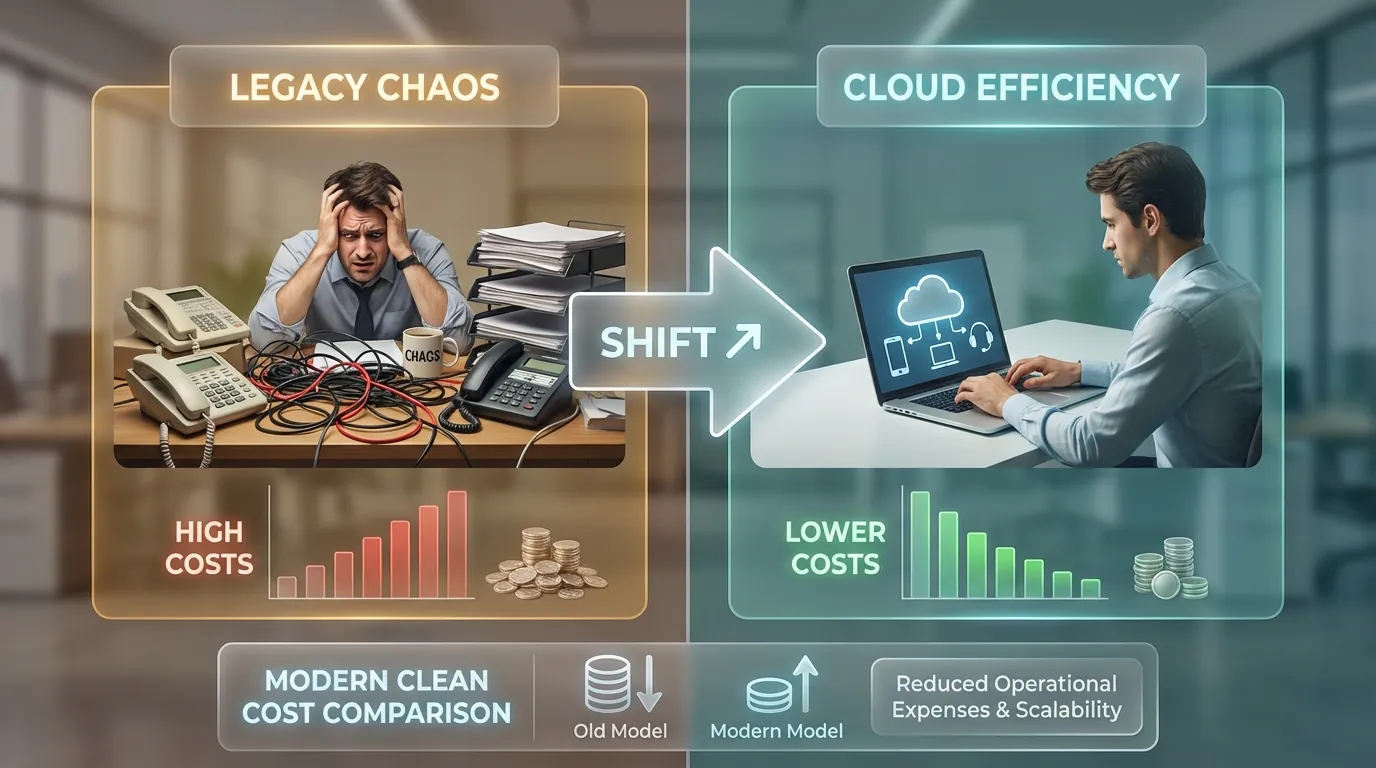
Operating 100 Cloud Phone devices costs $500-1,500/month, inclusive of all infrastructure — 60-70% lower than a physical phone farm of the same scale.
Detailed Cost Comparison (100 Devices)
ROI — When Does Cloud Phone Break Even?
ROI depends on use case, but breakeven typically occurs within 2-6 months depending on the business model:
Cloud Phone reduces costs by 60-70% compared to physical phone farms, and eliminates all hardware risks: no battery charging, no replacements, no maintenance, and no overheating — the data center handles everything.
Real-World Use Cases — Who Uses Cloud Phone For Account Farming?
Marketing Agencies — Managing Client Accounts
Agencies managing 50+ fan pages and accounts for multiple brands use Cloud Phone to isolate environments by client — each client = 1 dedicated Cloud Phone group with region-appropriate IPs.
Team collaboration: assign permissions by client on the dashboard, no password sharing needed. Regional presence: US accounts use US IPs, UK accounts use UK IPs — each account operates consistently with its geographic location.
E-Commerce Sellers — Multi-Store Operations On Shopee And TikTok Shop
Sellers operating multiple Shopee and international TikTok Shop storefronts on Cloud Phone — each storefront = 1 Cloud Phone + 1 dedicated IP, preventing store linking that leads to mass closures.
Automated TikTok Shop video re-uploads from Cloud Phone: 1 device runs a script to re-upload 50+ videos/day, posting across multiple TikTok accounts simultaneously, each account on its own separate device.
Crypto And Airdrop Hunters — Separate Wallets, Separate Devices
Each Cloud Phone = 1 separate crypto wallet. Metamask, Phantom, and Trust Wallet run isolated on individual devices. Residential proxy per wallet ensures no 2 wallets share the same IP.
Airdrop and retroactive farming runs safely on Cloud Phone because each device has its own unique fingerprint. Telegram tap-to-earn apps also run smoothly on Cloud Phone — real device hardware avoids anti-bot detection.
Content Creators — Seeding Accounts And Boosting Reach
Seeding accounts that engage in groups, boost video reach on TikTok, and livestream directly from Cloud Phone — all from 1 dashboard.
Cloud Phone also suits micro-task farming and passive income models. Beyond MMO, Cloud Phone works well for professionals who need to separate work and personal life — turning a Cloud Phone into a second work phone without additional hardware.
Frequently Asked Questions About Account Farming On Cloud Phone
"Is Account Farming On Cloud Phone Legal?"
Cloud Phone is a legitimate device rental service — similar to renting a server. Account farming must comply with each platform's Terms of Service (Facebook, TikTok). Using Cloud Phone to manage legitimate business accounts (marketing agencies, e-commerce) is fully compliant.
"Can Facebook Or TikTok Detect Cloud Phone?"
Cloud Phone real devices (such as XCloudPhone) use genuine Samsung ARM chips with factory IMEI — Facebook and TikTok recognize them as real devices. Detection rate is below 5%, because there are no VM indicators. A stark contrast to VMI or emulators, where detection rates range from 40-90%.
"How Many IPs Do You Need For 100 Accounts?"
100 separate residential IPs — each account needs its own unique IP. The difference between residential IPs and datacenter IPs directly impacts trust score. Residential IPs carry higher trust because they originate from real consumer ISPs.
"How Long Before You Can Run Ads?"
A minimum of 30 days following the 4-phase process: Setup (Day 0) → Warm-up (Day 1-7) → Trust Building (Day 8-21) → Maturation (Day 22-30+). The account needs to reach 100+ friends, 20+ posts, and 0 checkpoints before running ads.
"Should You Use The Same SIM For Multiple Accounts?"
No. Each account should be registered with a separate SIM or email. Multiple accounts sharing the same phone number = Facebook links them all into 1 cluster, banning 1 account triggers bans on the rest. The registration method (clean email or SIM) determines initial trust.
"Can You Root A Cloud Phone?"
XCloudPhone supports root access on request — useful for apps requiring root privileges (LSPosed, Xposed framework, and custom ROMs). However, some banking apps and game anti-cheat systems detect root. Consider carefully before enabling root.
"Residential Proxy Or Mobile Proxy — Which Is Better?"
Residential proxy suits most account farming use cases at a lower cost ($3-5/IP/month). Mobile proxy ($10-20/IP/month) carries higher trust but costs 3-5 times more. Mobile proxy should be reserved for premium accounts (large ad budgets, important agency clients).
"Can You Recover From Checkpoint 282?"
Yes, if you have a clear selfie photo and valid government ID. On Cloud Phone, the appeal process is easier because the session remains intact — you appeal from the same device, same IP, and same fingerprint where the checkpoint was triggered. Success rate is significantly higher compared to appealing from a new device.
"How Is XCloudPhone Different From Geelark, LDCloud, And VMOS?"
XCloudPhone uses genuine Samsung ARM chips (real devices), while Geelark and VMOS use VMI (Virtual Machine Infrastructure) and LDCloud uses x86 emulation. The difference between native ARM and virtualization technology determines the detection rate — real devices pass 100% of VM detection tests, VMI fails 40-60%.
"Can You Farm Both Facebook And TikTok On The Same Device?"
Yes, but you should not. Each Cloud Phone should run 1 Facebook account OR 1 TikTok account — not both. Reason: both Facebook and TikTok log the list of installed apps. Running both Facebook and TikTok apps on the same device with similar behavior patterns increases the risk of cross-platform account linking.
Start Building High Trust Today — Your 30-Day Action Roadmap
Trust is a 30-day journey, not a 1-click button. The 4-phase process (Setup → Warm-up → Trust Building → Maturation) has been validated on real Cloud Phone devices with a 95%+ success rate when every step is followed correctly.
5 steps to start building Trust now:
- Sign up for Cloud Phone — Free trial at XCloudPhone, no credit card required. Starting at ~$10/device/month
- Assign Residential Proxy — Trust starts with a clean IP. 1 dedicated IP per device, enter proxy on the dashboard
- Install Facebook or TikTok from Play Store — Real ARM device fingerprint, zero VM indicators
- Begin warm-up following Phase 2 — The first 7 days define your trust foundation. 5-10 light interactions per day
- Monitor KPIs daily — Trust builds gradually. Do not skip phases. Patience = sustainable trust