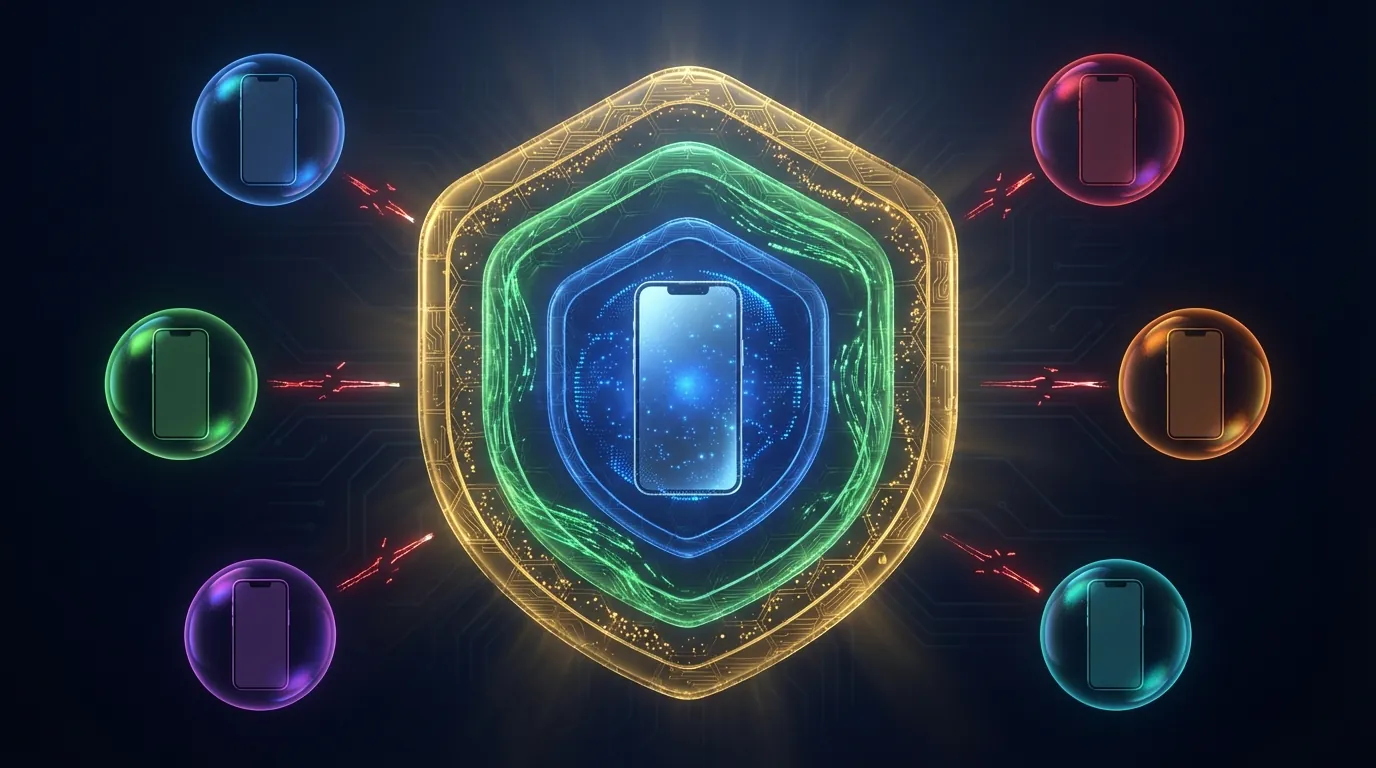
Running 5 accounts on a single device — all get flagged within 48 hours. The cause isn't bad IPs or poor warm-up routines. Cookies and cache betrayed you before you even uploaded a profile picture.
Cookie, cache, and device fingerprint isolation is the foundation of every multi-accounting system. Missing isolation at any of the 3 layers lets platforms link all accounts to a single owner — regardless of how clean your IPs or proxies are.
Cookie leaking connects 2+ accounts within hours. Cache fingerprinting detects shared-device patterns within 7-14 days. Device fingerprint matching links accounts permanently — even after wiping all app data. The full trust-building workflow is covered in High-Trust Account Farming Process. This article dives deep into the single most critical factor: absolute environment isolation between accounts.
In this guide, you'll learn:
- 3 isolation layers every multi-accounting system must guarantee (Cookie → Cache → Device Fingerprint)
- 5 solution tiers — from Incognito Mode to real ARM Cloud Phone
- Platform-specific setup guides for Facebook, TikTok, and Instagram
- 7 common mistakes that trigger sweep bans even with antidetect tools
Cookie Tracking — Why Facebook Knows Your 10 Accounts Belong to One Person
Cookies are small data files stored on your device by websites to identify browsing sessions, maintain login states, and track user behavior. For multi-accounting, cookies become the strongest linkage evidence — each cookie carries session IDs, pixel tracking data, and behavior signatures that platforms cross-reference across accounts.
First-Party vs Third-Party Cookies — The First Data Layer That Betrays You
First-party cookies are created by the website itself — Facebook creates cookies when you log in, storing session IDs, language preferences, and display settings. Third-party cookies come from external trackers (Meta Pixel, Google Analytics) — they follow you across multiple websites and build cross-site behavior profiles.
Meta Pixel tracks over 8.4 million websites — according to the Meta Transparency Report. Log into Account A on a browser, then switch to Account B on the same browser (even after logging out of A), and Meta Pixel still links both sessions through uncleared third-party cookies.
Cache Linkability — The Second Layer That Antidetect Browsers Miss
Cache linkability occurs when multiple accounts share cached data on the same device — including local storage, IndexedDB, service worker cache, and shared resources. Antidetect browsers isolate cookies at the browser profile level, but OS-level cache often remains shared — especially with mobile apps.
5 Types of Cache That Facebook and TikTok Store on Your Device
Facebook and TikTok store 5 types of cache on each device — each carrying unique identifiers that can link accounts:
- Browser cache: Images, CSS, and JavaScript files stored for faster loading — contains ETags that servers use to identify clients
- Local storage / SessionStorage: Key-value data stored directly by web apps — holds user preferences, A/B test flags, and session tokens
- IndexedDB: In-browser NoSQL database — Facebook Messenger stores all offline messages here
- Service Worker cache: Dedicated Progressive Web App cache — runs in the background even after tabs are closed
- App-level cache (mobile): Application-level cache managed by Android OS — includes resource cache, image cache, and SQLite databases
On Android, cache extends beyond the browser — each app has its own cache directory at /data/data/[package_name]/cache/. When 2 accounts use the same app on a single physical device, the OS does not separate cache between different login sessions. The app reads old cache and detects the previous account's session history.
Device Fingerprint — The Third Layer That Determines Your Account Farm's Survival
Device fingerprint is a collection of 50+ hardware and software parameters that platforms gather to create a unique identity for each device — including IMEI, Android ID, MAC Address, CPU serial, GPU info, sensor calibration data, and carrier identity.
Hardware Fingerprint vs Software Fingerprint — Why Real Hardware Matters
Hardware fingerprints come from physical components — IMEI is written to the baseband chip, sensor calibration data is unique to each gyroscope, accelerometer, and compass. Software fingerprints come from the operating system and applications — Build.prop, Android version, installed fonts, timezone, and language.
PC-based antidetect browsers only spoof software fingerprints — modifying User-Agent, Canvas, WebGL, and fonts. But on mobile apps (Facebook, TikTok, Instagram), platforms collect hardware fingerprints directly through Android APIs — meaning antidetect browsers offer zero protection when users open native apps.
Google Play Integrity API — according to Android Developer Documentation — checks 3 levels: device integrity (is the device rooted?), app integrity (is the APK modified?), and account integrity (is the Google account clean?). Emulators and VMI fail device integrity. Real ARM Cloud Phone passes all 3 levels.
5 Levels of Environment Isolation — From Incognito to Real Cloud Phone
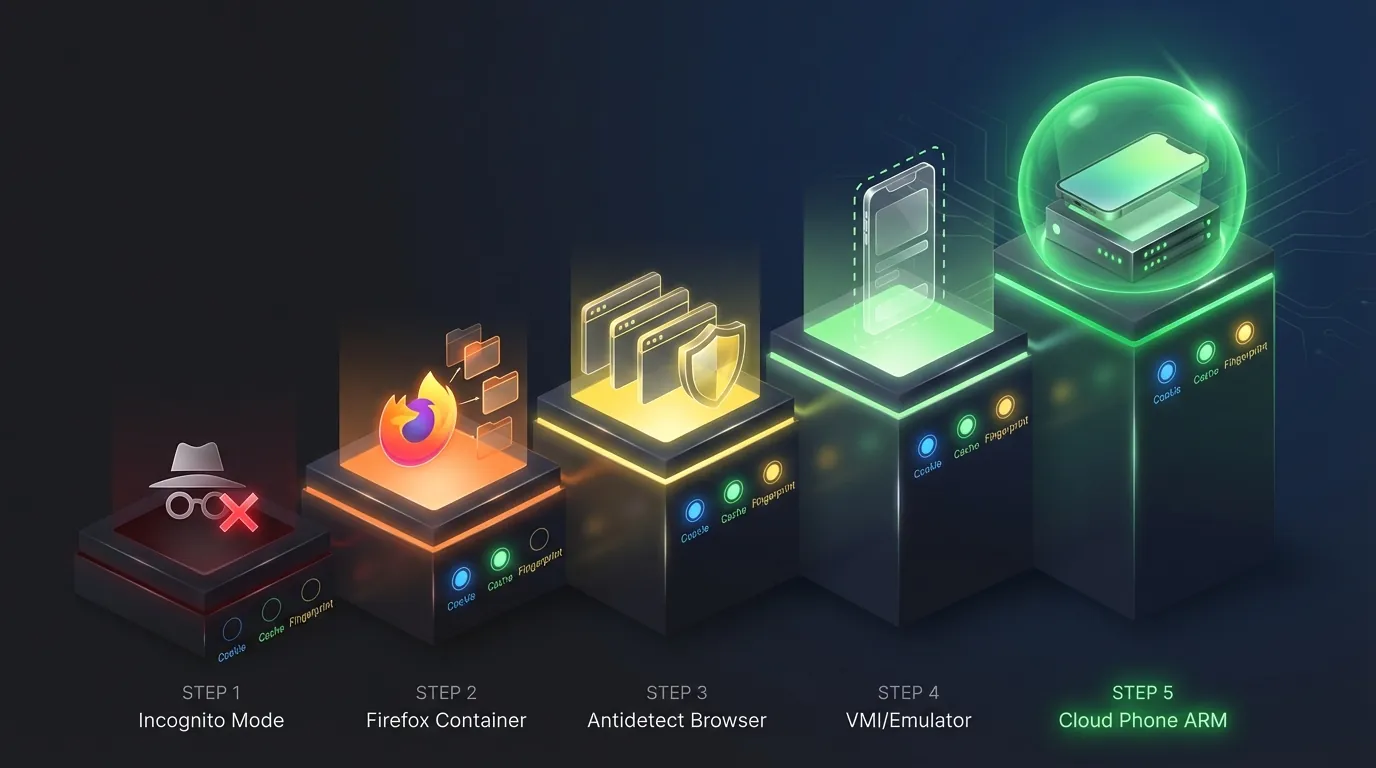
5 environment isolation solutions currently available, ranked by isolation level from lowest to highest:
Why Incognito Mode Is a "Security Illusion" for Multi-Accounting
Incognito mode only prevents browsing history from being saved to the device — it doesn't isolate cookies between incognito tabs in the same session, doesn't change device fingerprints, and doesn't hide your IP. Open 2 incognito tabs and log into 2 Facebook accounts → Facebook sees the same fingerprint, same IP, same session → instant linkage.
Antidetect Browsers — Solve Cookies, Miss Device Fingerprints
Antidetect browsers (AdsPower, Multilogin, GoLogin) create separate browser profiles — each with its own cookies, cache, and software fingerprint. This works well for web-based multi-accounting (e-commerce, affiliate marketing, ads management).
But antidetect browsers offer no protection on mobile apps: when you open the Facebook or TikTok app on a phone, the app accesses hardware fingerprints directly through Android APIs — the antidetect browser is completely useless at this layer. This is why Facebook accounts on antidetect tools still get checkpoint 282 — the Facebook app detects matching hardware fingerprints even though cookies are isolated.
Sandbox Isolation on Cloud Phone — The 3-Layer Hardware Isolation Mechanism

Sandbox isolation on a real Cloud Phone operates at the hardware level — each Cloud Phone is a separate ARM motherboard in a server rack, with dedicated memory, dedicated storage, and a dedicated network stack. No component is shared between devices.
3 isolation layers operate simultaneously:
Layer 1 — Cookie Isolation: Each Cloud Phone runs its own Android OS → Chrome on Device A shares zero cookies with Device B. The Facebook app on Device A maintains a completely separate cookie directory.
Layer 2 — Cache Isolation: Each device has its own storage partition → the /data/data/ directory for every app on Device A resides on a physically different storage drive than Device B. No shared file system, no cross-device cache access.
Layer 3 — Device Fingerprint Isolation: Each motherboard has its own IMEI, serial number, MAC address, and sensor calibration — determined by physical hardware, not software-generated. Fingerprint collision rate = 0%. When Play Integrity API checks Device A, it returns device integrity: PASS — because this is real ARM hardware, not an emulator or VMI.
Comparison: VMI (Virtual Mobile Infrastructure) runs multiple instances on the same physical server → instances share CPU, RAM, and sometimes sensor data → estimated fingerprint collision rate of 20-30% when using the same template profile. This is the fundamental difference between hardware isolation and software isolation — unique fingerprints directly impact each account's Trust Score.
Facebook Isolation Setup — 5 Steps on Cloud Phone
Setting up complete isolation for a single Facebook account on Cloud Phone takes 5 steps — the process requires approximately 10-15 minutes per account:
- Create a new Cloud Phone on the XCloudPhone dashboard → select the appropriate configuration (2GB RAM/32GB storage for standard accounts; 4GB RAM/64GB storage for premium accounts running ads)
- Configure anti-detect settings directly on the web interface: set a unique IMEI, Android ID, and device model for each account → the system supports one-click device info changes without root access
- Assign a dedicated residential proxy → enter proxy credentials on the web interface and the device connects automatically → built-in WebRTC leak protection ensures your real IP stays hidden
- Install the Facebook app from Google Play (Play Integrity result: PASS — real ARM hardware) → log in → enable 2FA on day one
- Warm up following the 4-Phase process — starting from browsing feed content (Phase 1) → light interactions (Phase 2) → posting content (Phase 3) → monetization (Phase 4)
Farms of 1,000+ accounts follow the same workflow — with hybrid 3-tier IP strategy and staggered 60-day batch management to minimize pattern detection.
TikTok Isolation Setup — Key Differences from Facebook
TikTok's detection engine differs from Facebook in 3 critical ways — requiring stricter isolation:
TikTok isolation on Cloud Phone requires 3 additional steps compared to Facebook:
- Dedicated SIM per account — TikTok verifies phone numbers at registration and requires OTP when detecting new devices. Reusing a SIM linked to a banned account → instant flag on the new account
- Carrier config matching — Proxy IP must match the carrier of the SIM assigned to the device. Verizon IP + T-Mobile SIM → TikTok detects the mismatch
- Video-centric warm-up — TikTok measures behavior through video watch time. New accounts must watch 20-30 real videos per day for the first 7 days, each video at least 15 seconds — no skipping
Instagram Isolation Setup — The Meta Cross-Platform Link
Instagram belongs to Meta — sharing the same ecosystem as Facebook. Meta cross-references data between Facebook, Instagram, and Threads through Meta Accounts Center. Isolating Instagram without isolating Facebook is meaningless.
3 platform-specific requirements:
- Separate Facebook ID from Instagram — never log into Instagram with a Facebook account. Create Instagram accounts with unique email addresses
- Proxy region must match across both Facebook and Instagram on the same device — if one device runs both platforms
- Never cross-post between Instagram and Facebook across different accounts — Meta's correlation engine links the 2 platforms immediately
Each Cloud Phone should run a maximum of 1 Instagram account + 1 Facebook account (if needed) — never stack multiple social accounts on a single device, even with hardware-level isolation.
Hardware-level isolation eliminates 80% of risk. The remaining 20% comes from user behavior — and this is where account farms typically collapse.
7 Common Account Isolation Mistakes — Why Farms Still Get Wiped
Despite investing in antidetect tools or Cloud Phones, these 7 mistakes still trigger sweep bans — including lessons learned from operating Facebook account farms at 1,000+ scale:
- Sharing IPs across 2+ accounts on the same platform — even with isolated cookies and fingerprints, a shared IP creates a correlation signal
- Copy-pasting identical content across accounts — Facebook's text matching engine detects duplicate content cross-account within 24 hours
- Batch warm-up of 100+ accounts on the same day with identical behavior sequences — pattern detection flags batch behavior
- Skipping Google Advertising ID reset — changing IMEI but forgetting to clear GAID → Google still links both sessions
- Cross-device login — logging Account A into Device B then back to Device A → Facebook records a new fingerprint → triggers checkpoint
- Using stock photos across 10+ accounts — Facebook AI detects duplicate photos cross-account, triggering checkpoint 282
- Ignoring carrier/timezone mismatch — US proxy IP + UTC+7 timezone + Indonesian carrier SIM → red flag cluster
📌 Pro Tip: Create a tracking spreadsheet for each account with 7 columns: Device ID, IP Source, SIM Number, IMEI, Timezone, Proxy Provider, and Last Checkpoint Date. Review weekly to catch overlaps early.
Frequently Asked Questions About Cookie/Cache Isolation
"Does Using Multiple Chrome Windows Isolate Cookies?"
No — multiple Chrome windows sharing the same profile share all cookies, cache, and local storage. Only creating separate Chrome Profiles isolates cookies, but the device fingerprint remains identical since it's the same physical machine.
"Can Antidetect Browsers Isolate the TikTok App?"
No — antidetect browsers only operate at the browser layer. The TikTok app (native Android) collects hardware fingerprints directly through Android APIs, completely bypassing antidetect browsers. Cloud Phone provides isolation at the device layer — each TikTok app runs on separate hardware.
"How Many Cloud Phones Do I Need for 100 Accounts?"
100 Cloud Phones — one account per device. Never share a device between 2 accounts on the same platform. Estimated cost: 100 × ~$10/device/month = $1,000/month. Compare: 100 physical phones = $15,000-25,000 upfront investment.
"Does Cloud Phone Get Detected by SafetyNet/Play Integrity?"
No — Cloud Phone runs on real ARM hardware (Samsung Galaxy series, Qualcomm Snapdragon) → Play Integrity API returns device integrity: MEETS_DEVICE_INTEGRITY. Only x86 emulators and VMI fail the device integrity check. This is the core difference between a Real Cloud Phone and Virtual Mobile Infrastructure.
"What's the Total Cost for Absolute Isolation per Account?"
Complete isolation per account includes 3 cost components: Cloud Phone (~$10/month), residential proxy ($3-5/month), and SIM (one-time ~$1-2). Total recurring cost: $13-15/account/month. ROI turns positive when each account generates more than $15/month from affiliate marketing, seeding, or ads.
From Cookie Leaks to Hardware Isolation — The Foundation of Safe Multi-Accounting
Cookie, cache, and device fingerprint isolation is a prerequisite — not optional — for any multi-accounting system. The 5 isolation levels from Incognito to real Cloud Phone demonstrate clearly: isolation level is directly proportional to safety level.
3 key takeaways:
- Cookie isolation is just Layer 1 — antidetect browsers handle this well but leave Layer 2 (cache) and Layer 3 (device fingerprint) exposed on mobile apps
- Hardware isolation (1 account = 1 real device) is the only solution that isolates all 3 layers simultaneously — real ARM Cloud Phone delivers this level of isolation without purchasing 1,000 physical phones. Combine with the high-trust account farming process to maximize Trust Score
- Audit isolation weekly: review overlaps in IPs, SIMs, GAID, and timezones. A single mistake at any layer is enough for platforms to link your entire account farm
Sign up for XCloudPhone — each account runs on a dedicated real ARM device with absolute 3-layer isolation.
→ Start isolating your accounts now
References:
- Meta Transparency Report — Meta Pixel tracking and cookie policies
- Google Play Integrity API — Android Developer Documentation
- EFF — Browser Fingerprinting — Electronic Frontier Foundation
- Chromium Privacy Sandbox — Google Chrome cookie deprecation
- HTTP Cookies — MDN Web Docs — Mozilla Developer Network