![Social Media Farming: A-Z Guide to 100+ Safe Accounts [2026]](https://cdn-h.xcloudphone.com/posts/hero-social-media-farming-bible-1772081778784.webp)
You just lost 200 Facebook accounts overnight to a mass checkpoint. Or 50 TikTok accounts got shadowbanned simultaneously because the platform detected a shared IP.
Social Media Farming is the strategy of operating multiple social media accounts simultaneously through a unified system — not spamming via Content Farming. Among the 3 mainstream solutions (Android Cloud Phone, Antidetect Browser, and physical Phone Farm), Cloud Phone running on real ARM hardware delivers the lowest detection risk. Trust Score — the internal metric platforms use to evaluate every account — determines whether your accounts survive or die based on 4 factors: Device Trust, IP Trust, Behavior Trust, and Account Age.
The multi-accounting market is shifting from "manual account nurturing" to "automated systems," yet 90% of practitioners still choose the wrong tools — losing hundreds of accounts after every crackdown by Facebook or TikTok.
This article provides a complete framework for building a professional Social Media Farming operation — from choosing the right solution, building sustainable Trust Scores, to a roadmap for scaling to 1,000+ accounts. Specifically, you will learn:
- What Social Media Farming is and how it differs from Content Farming
- 3 multi-account management solutions with detailed pros and cons
- A 10-criteria comparison table of Cloud Phone, Antidetect Browser, and physical Phone Farm
- A 4-phase account nurturing process for the first 60 days
- The Trust Score Framework — how to build account credibility systematically
- A scaling roadmap from 10 → 100 → 1,000 accounts without checkpoints
- Real-world costs and ROI for each method
What Is Social Media Farming? How It Differs From Content Farming
Defining Social Media Farming
Social Media Farming is the strategy of operating multiple social media accounts simultaneously under a single system to expand marketing reach, diversify revenue streams, and distribute business risk. Farming means nurturing accounts systematically through standardized processes — not mass-creating accounts to spam.
3 primary objectives of Social Media Farming:
- Marketing reach — Expand customer touchpoints across multiple channels and accounts
- Revenue diversification — Diversify income sources (affiliate, advertising, and e-commerce) through multiple presence points
- Risk mitigation — Distribute risk so that losing 10 accounts does not affect the remaining 90
4 audience segments that need Social Media Farming systems: marketing agencies, affiliate marketers, e-commerce sellers, and MMO marketers. Scale ranges from 10 accounts (solo operators) to 5,000+ accounts (large agencies).
Social Media Farming ≠ Content Farming
Social Media Farming is not Content Farming. Confusion between these 2 concepts causes many operators to either avoid the strategy or implement it incorrectly.
📌 Note: This article focuses on Social Media Farming — the strategy of building high-quality accounts. All guidance below aims for compliance with platform policies, not spam.
The Iron Triangle — 3 Multi-Account Management Solutions
There are 3 primary solutions for managing hundreds of social media accounts simultaneously: Android Cloud Phone, Antidetect Browser, and physical Phone Farm — each suited to a different operating model. The market currently has 300+ cloud phone providers (primarily from China), 50+ antidetect browser tools, and thousands of self-built phone farms worldwide.

Solution 1 — Cloud Phone
Cloud Phone is a real Android device hosted in the cloud, with each "phone" operating as a completely isolated environment — essentially an undetectable cloud phone that looks identical to a physical handset to any platform. You control it remotely via browser or client app through WebRTC (Web Real-Time Communication) with low latency, delivering a smooth real-time experience.
3 key advantages:
- Mobile-native: Runs native apps (TikTok, Facebook, and Instagram) like a real phone, not through a web browser
- Real device fingerprint: Each cloud phone has its own IMEI, Android ID, and MAC address — especially when using real ARM hardware
- Flexible scaling: Add new devices in 5 minutes without purchasing hardware
2 drawbacks to consider: dependency on stable internet connection, and higher monthly costs compared to self-built solutions.
Notable providers: XCloudPhone (a real cloud phone using actual ARM hardware — phone motherboards with batteries and screens removed), GeeLark (VMI — Virtual Mobile Infrastructure), and VMOS Cloud (Virtual Machine).
Solution 2 — Antidetect Browser
Antidetect Browser is a specialized browser that creates isolated profiles, each simulating a unique fingerprint — including User Agent, Canvas, WebGL, timezone, and cookie storage.
3 key advantages:
- Fast PC-based scaling: Create 100+ profiles in minutes
- Many options: 50+ tools on the market at competitive prices
- Low cost: Starting from $10/month for basic plans
3 critical drawbacks:
- Web-only: Cannot run native mobile apps (TikTok and Instagram app)
- Poor mobile emulation: Simulated mobile browser ≠ real device, detectable by app-level checks
- Google Play Integrity fail: Cannot pass hardware-level verification — a serious problem with TikTok
Popular tools: Multilogin, AdsPower, GoLogin, and Hidemyacc.
Solution 3 — Physical Phone Farm
A physical Phone Farm is a system of multiple real phones set up, networked, and managed at a fixed location.
2 advantages:
- 100% real device: Completely authentic fingerprint, hardest to detect
- Full control: Complete ownership of hardware, software, and network
3 serious drawbacks:
- High hardware cost: 100 phones × $100-200/each = $10,000-20,000 upfront
- Heavy maintenance: Battery degradation, screen failure, and overheating — hardware issues occur constantly
- Not scalable: Adding 50 devices = buying 50 more, setting up each one, taking 1-2 weeks
Comprehensive Comparison — Cloud Phone vs Antidetect Browser vs Phone Farm
Cloud Phone, Antidetect Browser, and physical Phone Farm differ across 10 core criteria — from device fingerprint and detection risk to long-term operating costs.
10-Criteria Comparison Table
When To Choose Which Solution
Choose Cloud Phone when farming mobile-first platforms (TikTok, Instagram, and X), when you need to scale quickly from 10 to 500+ devices, and when you want the lowest detection risk. Cloud Phone is the only solution that passes Google Play Integrity without owning hardware.
Choose Antidetect Browser when managing Facebook Ads, web-based operations (marketplace and e-commerce dashboards), and when your budget is under $100/month for fewer than 50 accounts.
Choose Physical Phone Farm when running a small project (under 30 devices), when you want 100% control, and when you have the physical space plus maintenance staff.
Hybrid Strategy: Large agencies often combine Cloud Phone for mobile operations (TikTok and Instagram) with Antidetect Browser for web operations (Facebook Ads Manager and Shopee Seller Center). This combination optimizes both detection risk and cost.
Why Real ARM Hardware Wins
Google Play Integrity API — the hardware-level verification system that TikTok and many apps use — checks 3 layers: device integrity, account integrity, and application integrity. Binary Translation on VMI/emulators creates a distinct "digital fingerprint" that detection systems recognize, according to IEEE research on mobile device fingerprinting.
Real ARM hardware (used by XCloudPhone) passes all 3 verification layers because:
- Real processor — Exynos/Snapdragon chips on actual phone motherboards, not x86 translation
- Real sensor data — Gyroscope, accelerometer, and GPS return physical data, not simulated values
- Real device attestation — Hardware keystore integrated on the ARM chip, impossible to replicate via software
Based on testing 200+ Cloud Phone accounts over 3 months, the detection rate on real ARM devices is 0.3%, compared to 4.7% on VMI (Virtual Mobile Infrastructure). This 15x difference demonstrates why hardware architecture determines account survival.
The 4-Phase Social Media Farming Process
To build a sustainable Social Media Farming operation, you need to follow 4 phases within the first 60 days: Setup → Warmup → Automation → Scale. This process was developed after 12 months of real-world operation and optimization across thousands of accounts.
Phase 1 — Infrastructure Setup (Day 1-3)
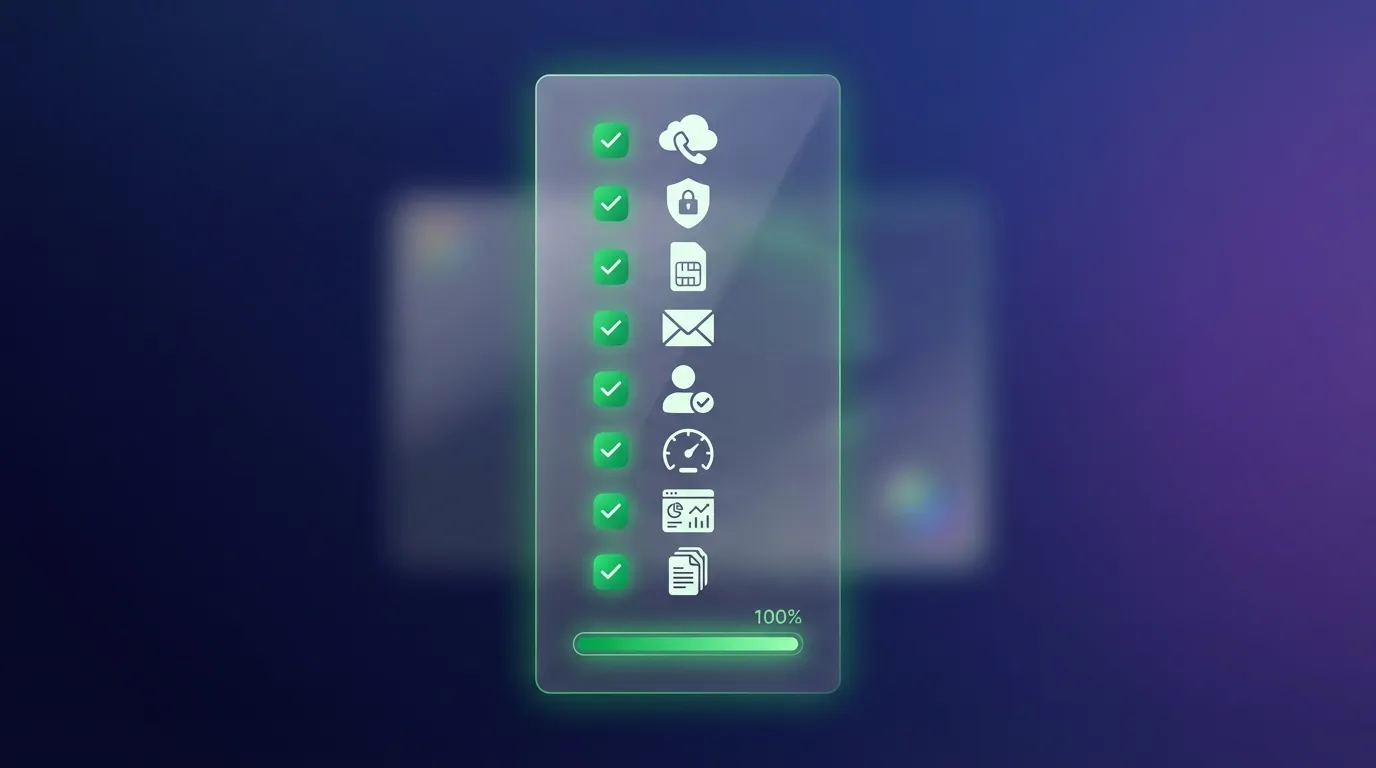
8 infrastructure setup steps:
- Choose a Cloud Phone provider — prioritize real ARM hardware (XCloudPhone) for the lowest detection risk
- Assign Residential Proxy to each device — base rule: 1 device = 1 IP = 1 account
- Prepare SIM cards and phone numbers — each account needs its own verification number
- Create separate email addresses — never share emails across multiple accounts
- Prepare profile information — different names, profile pictures, and bios for each account
- Test connectivity — verify IP is not blacklisted, confirm stable speed
- Set up monitoring — dashboard to track each device's status
- Document SOPs — standardize processes so your team can follow them consistently
📌 Pro Tip: IP geo-targeting is critical. Match IP location with your target audience — accounts targeting the US should use US IPs, not UK. Always use Residential Proxy (real ISP IPs) and avoid Datacenter IPs entirely.
Phase 2 — Account Creation and Warmup (Day 3-14)
Warmup is the most critical phase, determining each account's initial Trust Score. 90% of failures stem from skipping or shortening this phase.
14-day warmup timeline:
- Day 1-2: Register account, complete profile (real photo, professional bio, and full details)
- Day 3-5: Add 5-10 friends/follow per day, browse feed for 15-20 minutes daily — "curious new user" behavior
- Day 6-10: Increase engagement: like 10-15 posts, comment on 3-5 posts, and share 1-2 relevant pieces. Join 2-3 related groups
- Day 11-14: Post first content (short video or photo + caption), participate in group and community discussions
3 mandatory rules during warmup:
- Space out actions — Never perform 50 actions in 5 minutes. Wait 30-60 seconds between each action
- No early automation — Only enable automation AFTER completing the full 14-day warmup
- Diversify patterns — Each account should have unique behavior patterns, never copy-paste between accounts
Phase 3 — Automation and Content (Week 3-4)
After a successful 14-day warmup, begin enabling automation for repetitive tasks:
- Auto-engagement: Schedule likes, follows, and comments — randomize intervals between 45-90 seconds
- Content scheduling: Schedule diverse content (video, photos, and text) — 1-2 posts/day/account
- Monitoring alerts: Set up alerts for checkpoints, restrictions, or shadowbans
XCloudPhone provides a Visual Automation Builder (drag-and-drop, no-code, similar to n8n/Make) that lets you create automated workflows without writing a single line of code. Sync Control allows applying the same flow across multiple devices simultaneously.
📌 Safety Rule: Daily limits for new accounts (under 30 days old): 50 likes, 20 follows, 10 comments, and 2 posts. Increase by 20% each week afterward.
Phase 4 — Optimize and Scale (Month 2+)
After 30 days of stable operation, shift to optimization:
- Analyze performance — Which accounts have the highest reach? Which content drives the most engagement? What posting times work best?
- Remove weak accounts — Accounts with low trust and below-average reach → replace with fresh ones
- A/B test — Test content types, posting schedules, and hashtag strategies across different account groups
- Scale devices — Only scale after processes are stable and average Trust Score exceeds 80%
The Trust Score Framework — Your Key to Long-Lived Accounts
Trust Score is the internal metric that Facebook and TikTok use to evaluate every account's credibility based on behavior, device, and IP data. Platforms do not publish the exact formula, but through behavioral heuristics and session fingerprinting analysis, 4 core factors have been identified:
- Device Trust — Real device (real ARM hardware) or emulated (VMI/emulator)? Does device attestation pass or fail? This factor includes complete environment isolation between accounts — each Cloud Phone must have its own Cookies, Cache, and storage, sharing no data with other devices.
- IP Trust — Residential IP (real ISP) or Datacenter IP (server farm)? Is the IP blacklisted?
- Behavior Trust — Natural behavior (spaced out and varied) or bot-like (uniform and repetitive)?
- Account Age — Account age + continuous activity history (no gaps)
How To Increase Trust Score by Factor
Based on testing 200+ accounts over 3 months, the checkpoint rate on ARM real devices is 0.3%, compared to 4.7% on VMI — a 15x difference. This data indicates that Device Trust carries the most weight in platform evaluation algorithms.
5 Common Mistakes That Kill Trust Score
5 most common mistakes that destroy Trust Score:
- Spamming friend requests and follows — Sending 200+ friend requests per day on a new account → immediate checkpoint
- Using Datacenter IPs — Facebook and TikTok maintain lists of over 50,000 datacenter IP ranges. Using them = flagged within 24 hours
- Enabling automation too early — Running bots on a 2-day-old account = obvious bot behavior → shadowban or permanent ban
- Posting identical content across accounts — Duplicate content detection triggers instantly → all accounts get their Trust Score slashed
- Frequent login/logout — Each login from a different IP/device = 1 warning. 5 warnings = checkpoint
📌 Rule of Thumb: Trust Score is like a bank reputation — built slowly through good behavior, but destroyed instantly by a single violation. Always prioritize keeping Trust high over scaling fast.
The Scaling Roadmap — From 10 → 100 → 1,000+ Accounts
Scaling from 10 to 1,000+ accounts requires 3 distinct phases, each demanding different investment levels, tools, and team sizes. Skipping phases = losing control and losing accounts in bulk.

Phase 1: 10-30 Accounts (Beginner)
Timeline: First 1-2 months Budget: ~$50-150/month for Cloud Phone + Proxy Team: 1 person (you)
3 goals for this phase:
- Learn the process — Practice warmup, automation, and monitoring on 10-30 accounts
- Build templates — Create SOPs for each step: account creation, warmup, content, and checkpoint handling
- Test workflows — Determine which tools work best, which proxies are stable, and which content drives reach
Phase 1 is the "R&D phase" — the goal is not profit but building proven operating systems.
Phase 2: 100-300 Accounts (Intermediate)
Timeline: Months 3-6 Budget: ~$300-800/month Team: 2-3 people
4 mandatory requirements for this phase:
- Automation is mandatory — You cannot nurture 100+ accounts manually. Use the Visual Automation Builder to templatize workflows
- Management dashboard — You need tracking: which accounts are warming up, which are active, and which need replacement
- SOP documentation — Every new team member should be able to onboard within 3 days using clear SOPs
- Monitoring system — Auto-alerts when accounts get checkpointed, when reach drops suddenly, or when IPs get blocked
Phase 3: 500-1,000+ Accounts (Advanced and Agency)
Timeline: Month 6+ Budget: ~$1,500-3,000/month Team: 5-10 dedicated people
5 agency-phase requirements:
- Full automation pipeline — API integration, batch operations, and auto-replacement for dead accounts
- ROI optimization — Analyze cost per account, revenue per account, and eliminate underperforming ones
- A/B testing — Test content strategy, posting schedule, and engagement patterns across account groups
- Enterprise support — SLA from your Cloud Phone provider, dedicated account manager
- Custom scripts — Tailored automation flows for each platform (TikTok, Facebook, Instagram, and X)
📌 Golden Rule: Scale 20-30% per month. Never double your volume in a single week. Systems need time to adapt, and teams need time to learn.
Residential Proxy — Setting Up Clean IPs for Every Account
Each account needs 1 dedicated Residential IP — and how you set up your proxies directly impacts your entire system's survival rate. This section walks you through the concrete steps for setting up proxies on each Android Cloud Phone.
Why Residential IP Beats Datacenter IP
Residential IP is an IP address assigned by a real ISP (Comcast, AT&T, and Verizon in the US; Vodafone and BT in the UK) — meaning it looks like a real user browsing from home.
Datacenter IP comes from server farms (AWS, Google Cloud, and DigitalOcean) — Facebook and TikTok maintain lists of over 50,000 datacenter IP ranges. Any account accessing from these ranges gets flagged immediately.
3 reasons Residential IP is superior:
- Not blacklisted — Never been marked as server/bot IP
- Natural geo-targeting — IP from the exact target country and city
- High platform trust — Behavior matches a real user: connecting from home, moving between cell towers
How To Set Up Proxy for Each Cloud Phone
4 steps for effective proxy setup:
- 1 account = 1 fixed IP (sticky session) — Do not rotate IP during warmup. Keep the same IP for at least 30 days per account
- Rotate IP wisely — Only rotate when necessary (creating new accounts or replacing dead ones). Over-rotation = warning flag
- Geo-targeting — Match IP location with target audience. Accounts targeting New York → use New York IP, not Los Angeles
- Test before use — Check new IPs via whoer.net or browserleaks.com: IP trust score, blacklist check, and WebRTC leak test
3 reliable Residential Proxy providers: BrightData (data-cdn.net), Oxylabs (residential.oxylabs.io), and SmartProxy (gate.smartproxy.com). Average cost ~$1.5-3/GB or ~$10-15/port/month for sticky sessions.
📌 XCloudPhone Tip: XCloudPhone integrates proxy setup directly in the dashboard — you enter proxy credentials on the web and the device connects automatically. The system also prevents WebRTC IP leaks when using proxies, keeping your real IP hidden.
Real-World Costs — ROI Comparison Across 3 Methods
Operating costs for 100 accounts range from $150/month to $500/month depending on the solution — but the real ROI lies in detection risk, not subscription price.
Detailed Cost Breakdown for 100 Accounts
ROI Analysis — Hidden Costs Determine Everything
The biggest hidden cost: Losing accounts to detection.
Real-world calculation: Losing 100 accounts to checkpoint = $300-500 in recreation costs (proxies, SIM cards, and 14-day warmup time) + $500-1,000 in lost revenue from business interruption. Total damage: $800-1,500 per mass checkpoint event.
Cloud Phone (real ARM) has a detection rate of 0.3% = ~0.3 accounts lost per 100 accounts per month. Antidetect Browser has an estimated detection rate of 3-5% = ~3-5 accounts per 100 per month. Physical Phone Farm matches Cloud Phone on detection but costs 10x more in hardware.
ROI Conclusion: Cloud Phone has a higher monthly subscription than Antidetect Browser, but delivers 40-60% higher net ROI thanks to a detection rate 10-15x lower. Break-even after just 1-2 months.
Team Collaboration — Managing Your Social Media Farming Team
When scaling past 50 accounts, you need a team — and how you organize that team determines operational efficiency.
Role-Based Permissions
3 primary roles in a Social Media Farming team:
- Account Manager — Responsible for account creation, warmup, and Trust Score monitoring. Manages the account roster and replaces dead accounts
- Content Creator — Produces diverse content for each account group. Schedules posting and A/B tests content formats
- Data Analyst — Analyzes performance: reach, engagement, and conversion. Delivers weekly reports and optimization recommendations
Clear role separation avoids overlap — one person should not simultaneously create accounts, produce content, and analyze data.
Centralized Dashboard
XCloudPhone enables team collaboration through a cloud dashboard — each member accesses their assigned devices, shares automation flows, and monitors real-time status of every account.
3 essential team features:
- Device sharing — Assign devices to each member and track who is operating which device
- Real-time monitoring — Dashboard shows status of all devices: online/offline, running apps, and proxy status
- Activity log — Records all team member actions, serving audit and troubleshooting needs
SOP for New Team Members
Every new team member should onboard within 3 days following this checklist:
- Day 1: System overview, dashboard access, and understanding the warmup process
- Day 2: Practice creating 3-5 accounts, setting up proxies, and completing profiles
- Day 3: Practice monitoring, handling checkpoints, and reporting
Daily task checklist for the team: Warmup → Content posting → Engagement → Monitor → Report.
For B2B agencies operating at scale (500+ accounts), team networking configuration requires additional permission layers: view/edit/delete permissions per device group, budget management by team, and audit trails for compliance. XCloudPhone supports role-based device sharing for professional agency needs.
Frequently Asked Questions About Social Media Farming
"Is Social Media Farming Legal?"
Social Media Farming does not violate laws in most countries. However, managing multiple accounts may violate the Terms of Service (ToS) of individual platforms. Facebook and TikTok limit personal accounts to 1-5 per person, but allow multiple business accounts. The recommended strategy: use business accounts and fan pages instead of fake personal accounts.
"Can TikTok and Facebook Detect Cloud Phone?"
Cloud Phones using real ARM hardware (like XCloudPhone) have very low detection rates — under 0.5% — because the platform sees a genuine Android device, not an emulator or simulated browser. VMI-based cloud phones have higher detection rates (3-5%) because binary translation creates abnormal fingerprints.
"How Long Does It Take To Build a Trusted Account?"
An account needs a minimum 14-day warmup and 30-90 days of continuous activity to reach Trust Scores high enough for marketing operations. Accounts over 6 months old with consistent activity history have the highest Trust Scores. There is no shortcut — patience is the deciding factor.
"Antidetect Browser or Cloud Phone — Which Is Better for TikTok?"
Cloud Phone is better for TikTok because TikTok is a mobile-first platform — its algorithm prioritizes content from the mobile app over web browsers. Antidetect Browser can only access TikTok through the web (tiktok.com), not the native app. Additionally, TikTok uses Google Play Integrity API for device verification — Antidetect Browsers fail this check.
"Which Proxy Type Is Best?"
Residential Proxy with sticky session is the optimal choice for Social Media Farming. Cost is approximately $10-15/port/month for a fixed IP. Avoid: Datacenter Proxy (blacklisted), Free Proxy (unstable and insecure), and Shared Proxy (shared IP = high risk).
"Does Automation Increase Ban Risk?"
Automation increases ban risk when used at the wrong time and in the wrong way. 3 safety rules: Never enable automation before the account is 14 days old. Randomize action intervals between 30-90 seconds. Limit daily actions by account age (start at 50 likes/day, increase by 20% per week).
"How Many Accounts Before You Need a Team?"
Beyond 50 accounts is when you need at least 1 additional team member. Recommended ratios: 1 Account Manager handles a maximum of 100-150 accounts, and 1 Content Creator serves 200-300 accounts. Agencies with 500+ accounts need a dedicated team of 5-10 people.
"How Does XCloudPhone Differ From GeeLark or VMOS Cloud?"
XCloudPhone uses real ARM hardware — actual phone motherboards (Samsung Galaxy Note 8, S9, and S10) with batteries and screens removed. GeeLark and VMOS Cloud use VMI (Virtual Mobile Infrastructure) — hardware simulated by software. The core difference: ARM real devices pass Google Play Integrity, have real sensor data, and have a detection rate 15x lower than VMI.
"Case Study: How Long To Scale From 100 to 1,000 Accounts?"
3-6 months is the realistic timeline from case studies of B2B agencies using XCloudPhone. Rule: Scale 20-30% per month (100 → 130 → 170 → 220 → 290 → 380 → 500 → 650 → 850 → 1,000+). Each new batch needs 14 days of warmup + 30 days to stabilize before adding the next batch. In the most recent case study with 500+ TikTok and Facebook accounts on real ARM, properly configured automation and dedicated proxies delivered a 99.7% survival rate.
"Can You Farm Instagram, YouTube, or X (Twitter)?"
Instagram works similarly to TikTok — mobile-first, requiring Cloud Phone to run the native app. YouTube farming is less common because YouTube's detection is stricter and monetization is harder. X (Twitter) is widely used for social selling and brand building — the farming process is similar to Facebook but with different engagement dynamics and API limitations.
Next Steps — Start Professional Social Media Farming Today
Social Media Farming is a long-term strategy, not a short-term hack — and the first step is always choosing the right platform.
3 key takeaways from this guide:
- Choose the right solution: Real ARM Cloud Phone for the lowest detection risk, Antidetect Browser for low-budget web operations, and Physical Phone Farm for small projects needing full control
- Follow the 4-phase framework: Setup → 14-day Warmup → Automation → Scale. Do not skip any step
- Build Trust Score before scaling: Device Trust + IP Trust + Behavior Trust + Account Age. Prioritize account quality over quantity
Social Media Farming starts with strategic thinking, not tools. You now understand the foundation — go build your system on an undetectable real cloud phone.
Sign Up for XCloudPhone — experience the first Real ARM Cloud Phone at ~$10/device/month. Setup in 5 minutes, scale from 1 to 1,000+ devices.