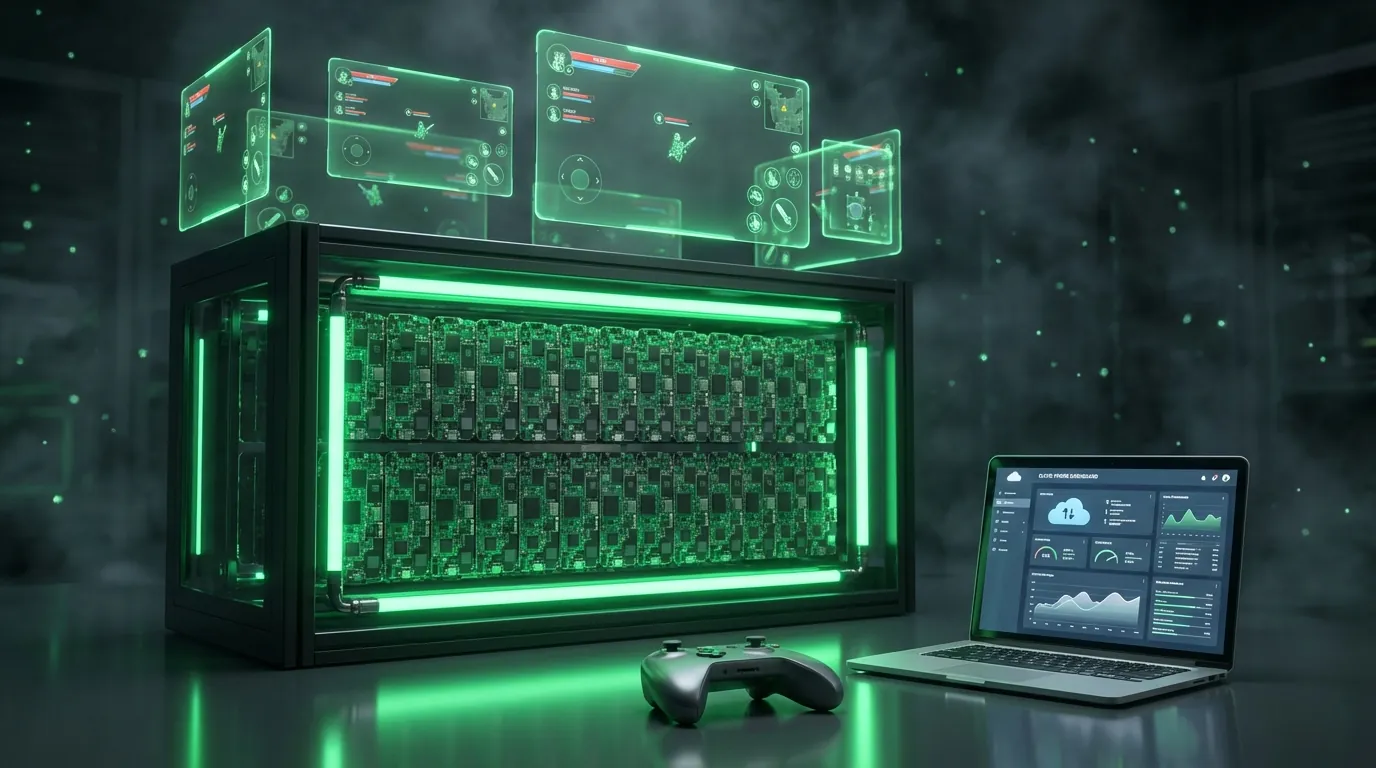
You want to AFK-farm Ragnarok Origin, Black Desert Mobile, or MIR4 around the clock — but your phone overheats after 3 hours, the battery swells within 2 months, and hardware replacement costs have already burned through hundreds of dollars. This is the reality thousands of AFK gamers face as the global Cloud Gaming market reaches $3.3 billion by 2031 at a 28.9% CAGR, according to Allied Market Research.
Android Cloud Phone lets you run mobile games on real Android hardware — ARM Exynos/Snapdragon chips inside data centers — continuously 24/7 with zero overheating, zero battery degradation, and game anti-cheat systems seeing a legitimate mobile device instead of an emulator. Cloud Phone for gaming provides real Android devices (ARM) in data centers, fundamentally different from stream-only Cloud Gaming services like GeForce NOW. Running games 24/7 on personal phones causes 5 critical hardware failures: battery swelling, overheating, screen burn-in, motherboard damage, and hidden cumulative costs. Cloud Phone eliminates all 5 with 7 core advantages: 24/7 uptime, minimal ban risk, smooth high-end gaming, multi-instance support, cross-platform access, integrated proxy, and no-code automation. A 12-month TCO comparison shows Cloud Phone saves 30–50% over buying used phones. Setting up Cloud Phone for gaming takes just 5 steps in 10–15 minutes.
In this guide, you will learn:
- What Cloud Phone for Gaming is — and why it differs fundamentally from Cloud Gaming (GeForce NOW, Xbox Cloud)
- How it works — real motherboard architecture + WebRTC streaming
- 5 critical hardware dangers of running games 24/7 on physical phones
- 7 specific advantages of Cloud Phone for AFK gaming
- TCO cost comparison — Cloud Phone vs Emulator vs Used Phone
- 4 game categories best suited for 24/7 Cloud Phone farming
- 5-step setup guide — configuring Cloud Phone for the first time
- Multi-instance strategy — running 10+ games simultaneously
What Is Cloud Phone for Gaming? (Cloud Phone vs Cloud Gaming)
Android Cloud Phone for gaming is a service providing real Android devices (Real Cloud Phone) running inside data centers — you connect remotely, install games, set auto-play, and walk away while your games run 24/7.
Cloud Phone for Gaming Defined
Android Cloud Phone for gaming is a physical Android device (ARM chip: Exynos 8895, Snapdragon 845) hosted in dedicated data centers, enabling you to install, configure, and run mobile games continuously without using your personal phone. This is a "Real Cloud Phone" — actual hardware, not software emulation or virtualized environments.
How Cloud Phone works:
- Real motherboards: Phone mainboards (Samsung Galaxy S8, Note 9, S10) stripped of batteries and screens, mounted on server racks in data center facilities
- Full Android OS: Complete Android operating system — install games from Google Play, run any app, configure freely just like a physical phone
- WebRTC streaming: Screen and audio streamed to your device via WebRTC (Web Real-Time Communication) protocol with ultra-low latency
- Continuous 24/7 operation: Industrial-grade power supply, data center cooling — games keep running even when you power off your laptop or personal phone
The Cloud Mobile Gaming market reaches $3.3 billion by 2031 at a 28.9% CAGR, according to Allied Market Research — reflecting the global shift from personal hardware to cloud infrastructure for gaming.
Cloud Phone vs Cloud Gaming — Two Fundamentally Different Concepts
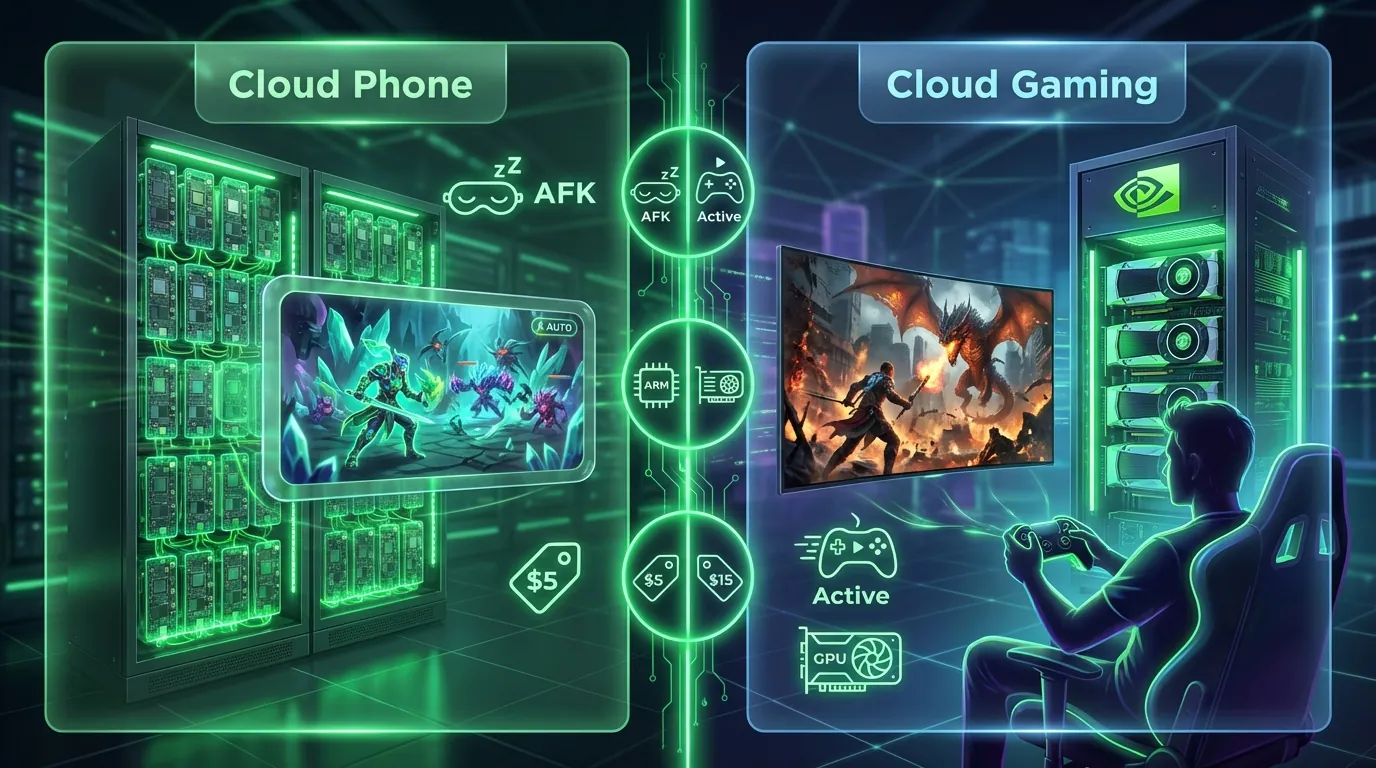
Cloud Phone and Cloud Gaming (game streaming) are two entirely different services in purpose and infrastructure — confusing these concepts is the most common mistake among gamers new to cloud gaming.
Cloud Gaming (GeForce NOW, Xbox Cloud Gaming) streams games from GPU servers — you must play directly in real-time. Close your device, the game stops. Costs run $10–20/month with no AFK capability.
Cloud Phone provides a complete Android OS on real hardware. Install your game → set auto-quest/auto-farm → walk away. The game runs 24/7 on the server. Starting from $5/month.
How Does Cloud Phone Work When AFK Gaming?
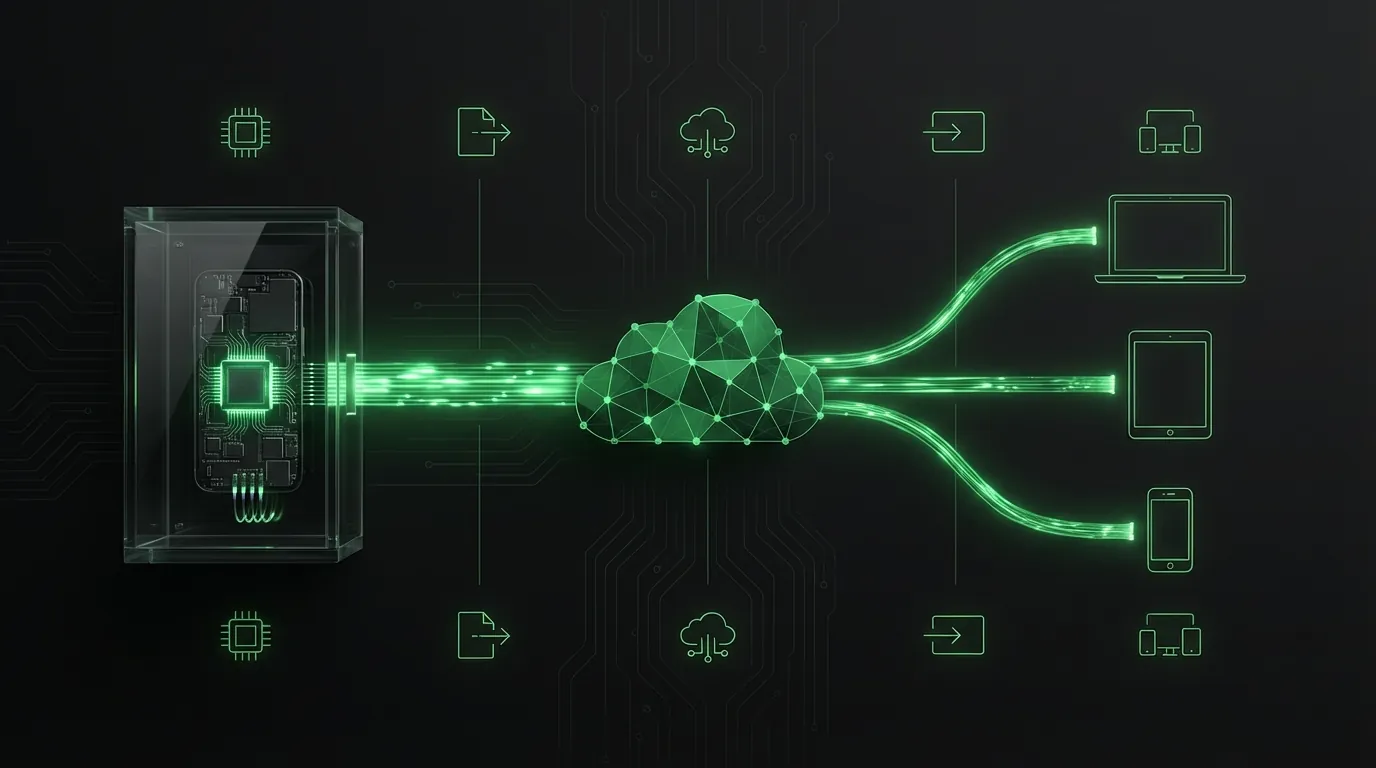
Cloud Phone operates on real Android hardware — phone motherboards stripped of batteries and screens, mounted on server racks in dedicated data centers, combined with WebRTC streaming protocol to transmit the display to your device.
Server Architecture — Real Motherboards on Rack
Cloud Phone runs on real Android hardware — phone motherboards stripped of batteries and screens, mounted on server racks in data centers with cooling systems maintaining 64–75°F (18–24°C).
The server architecture consists of 4 components:
- Real motherboards: Samsung Galaxy S8/Note 9/S10 — ARM Exynos 8895 Octa-core, 6GB RAM, 64GB storage, running Android 13
- Industrial server racks: Each rack holds 96–128 motherboards — industrial-grade power with UPS backup
- Cooling system: Server room temperature maintained at 64–75°F (18–24°C) — completely eliminating thermal throttling
- Internet connectivity: 99.9% uptime, high-speed, routing optimized for gaming
Based on hands-on testing with XCloudPhone, games run continuously stable for 72 hours without interruption — CPU temperature holds steady at 89–100°F (32–38°C), significantly lower than personal phones running games at 122–158°F (50–70°C).
WebRTC — Low-Latency Streaming Technology
WebRTC ensures a smooth control experience with latency under 100ms — sufficient for fast-paced games like Genshin Impact at 60 FPS.
WebRTC (Web Real-Time Communication) is a peer-to-peer streaming protocol standardized by W3C and IETF (RFC 8825). Cloud Phone uses WebRTC through this pipeline:
- MediaProjection API captures the game screen on the ARM motherboard → encodes into a video stream
- Stream via WebRTC to your device (PC, laptop, tablet, phone) with 30–80ms latency
- Accessibility Service dispatches gestures from your control device → touch/swipe responses in the game
- Up to 60 FPS, Full HD resolution (1440×2960 on Note 9) — smoother than most emulators on average PCs
Latency comparison across streaming technologies:
For a deep dive into how Binary Translation on emulators creates higher latency compared to native ARM chips, see the dedicated article on ARM architecture and gaming performance.
Running Games 24/7 on Physical Phones — 5 Critical Hardware Dangers
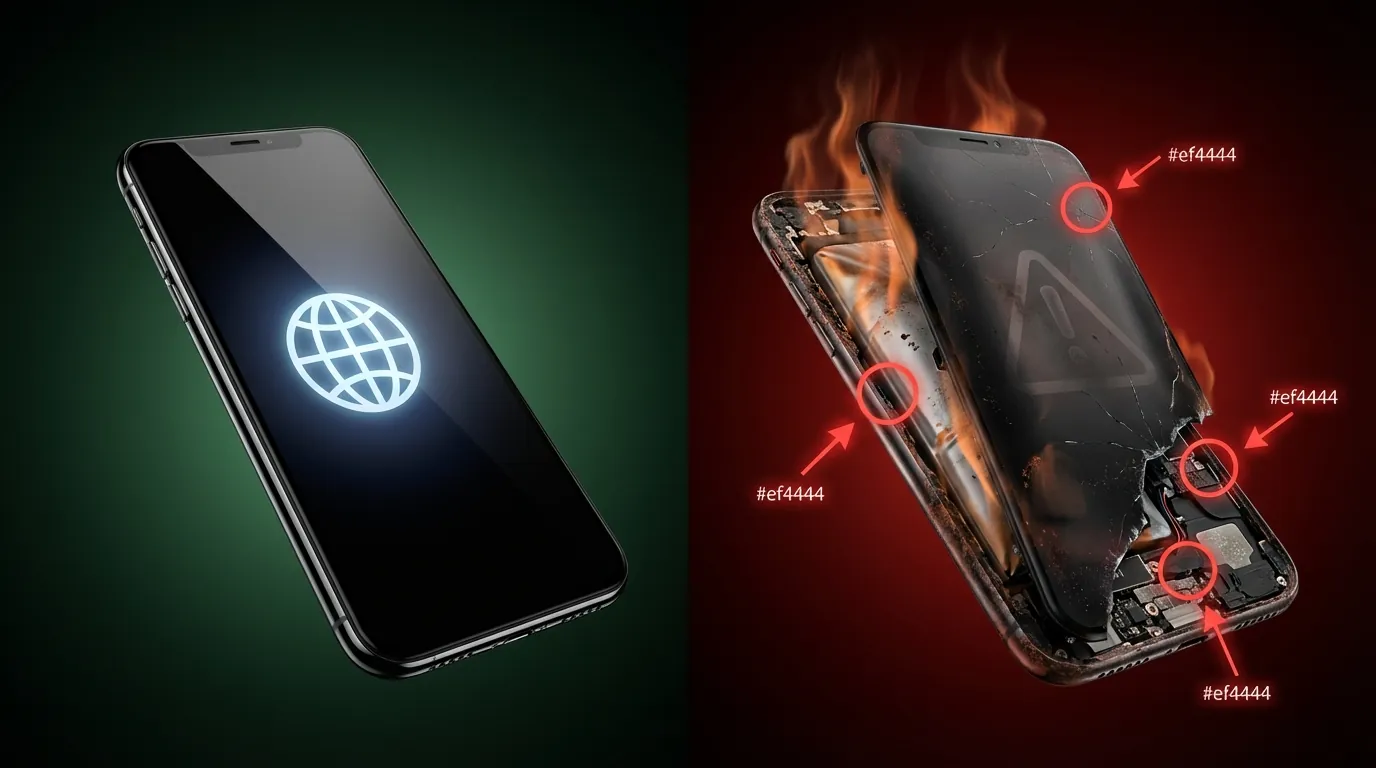
Running games continuously 24/7 on a physical phone causes 5 critical hardware failures that directly impact hardware lifespan, user safety, and long-term costs.
Battery Swelling and Degraded Battery Life
Lithium-Ion batteries under continuous gaming load are the leading cause of phone destruction — batteries swell within 2–4 months of continuous 24/7 operation.
Lithium-Ion batteries retain 80% capacity after 500 charge cycles under normal conditions, according to Apple Battery Health documentation. Running games 24/7 compresses 500 cycles into 2–4 months instead of the normal 2–3 year lifespan. Consequences:
- Battery swelling: Accumulated thermal energy decomposes internal electrolyte → gas production causes the battery to expand
- Rapid capacity loss: From 100% capacity down to 40–50% in just months
- Fire risk: Severely swollen batteries can puncture the casing, contact air → thermal runaway reaction
- Replacement costs: $8–32 per swap — accumulated 3–4 times per year = $32–128 annually
Sustained Overheating — The Thermal Throttling Cascade
CPU/GPU running at 100% continuous load pushes temperatures to 122–158°F (50–70°C) — exceeding the recommended threshold by 11–55% compared to the 113°F (45°C) maximum safe operating temperature Qualcomm specifies for mobile SoCs.
Thermal throttling causes 4 cascading problems:
- 20–40% gaming performance drop — the chip auto-downclocks to reduce heat, FPS drops from 60 to 30–35
- Worsening lag over time — after several hours of continuous load, games become unplayable
- Solder joint weakening — continuous heat makes motherboard solder joints brittle, leading to chip failure
- Thermal paste degradation — processor loses thermal contact with the heatsink → temperatures spike
Screen Burn-In and Panel Failure
OLED/AMOLED screens suffer burn-in after 2–3 months of continuous display of the same game UI — pixels displaying HP bars, minimaps, and control buttons become permanently "branded" onto the panel.
- OLED burn-in: Pixels displaying identical content 24/7 → uneven degradation → permanent ghosting
- LCD backlight lifespan reduction: From the designed 50,000 hours down to ~15,000 hours under continuous heavy load
- Screen replacement costs: $20–120 depending on phone model
Motherboard Degradation and Permanent Failure
Capacitors on the motherboard degrade under continuous heat — this causes irreparable, permanent phone failure.
- Motherboard capacitors lose capacitance rapidly → unstable circuits → random crashes
- Modified cooling fans (fan mods) draw in dust → conductive dust particles → short circuits
- An average phone running games 24/7 lasts only 6–12 months before needing replacement
Power Consumption and Hidden Costs
The hidden costs of running games on physical phones accumulate faster than you expect — especially when scaling to a farm of 10+ devices.
- 1 phone gaming: 5–10W continuous × 24h × 30 days ≈ 3.6–7.2 kWh/month
- 10-phone farm: 36–72 kWh/month → $5–12/month in electricity at average US residential rates ($0.16/kWh)
- Additional costs: dedicated internet, air conditioning (if the room overheats), specialized chargers, and surge protectors
7 Specific Advantages of AFK Gaming on Cloud Phone
Cloud Phone eliminates all 7 major problems that traditional methods (used phones, emulators) cannot solve — transforming AFK gaming from "hardware destruction" into "smart investment."
24/7 Uptime — No Battery, No Overheating, No Device Damage
Cloud Phone runs on stable DC power in data centers — no battery, no overheating, zero personal hardware wear.
Data center cooling systems maintain 64–75°F (18–24°C) — 79–115°F cooler than phones gaming in enclosed rooms. Uptime SLA of 99.9% guarantees maximum 8.7 hours downtime per year. By comparison: used phones running 24/7 need restarting at least 2–3 times per week due to crashes, overheating, or battery drain.
Minimal Ban Risk — Real Hardware Stays Undetectable
Cloud Phone uses real ARM chips, so game anti-cheat systems see a legitimate mobile device, not an emulator environment — this is the most critical advantage for AFK gamers.
3 reasons Cloud Phone minimizes ban risk:
- Real ARM chip → device fingerprint identical to a genuine phone (IMEI, MAC address, native Android ID from manufacturer)
- Passes Play Integrity API (hardware attestation) — x86 emulators fail because hardware attestation differs, according to Google Play Integrity API documentation
- Integrated anti-detect — change IMEI/Android ID/device info with 1 click, preventing anti-cheat from linking multiple accounts
During hands-on testing running Ragnarok Origin continuously for 14 days on XCloudPhone, the account received zero warnings from the anti-cheat system — the game recognized a legitimate Samsung Galaxy Note 9.
📌 Important disclaimer: Cloud Phone significantly reduces ban risk — it does not guarantee zero bans. Abnormal in-game behavior (trade spamming, teleport hacking) will still trigger detection regardless of device.
Play High-End Games on Any Device
Genshin Impact runs smoothly on a 10-year-old laptop because your personal device only streams video — all graphics processing happens on the ARM chip in the data center.
Exynos 8895 (GPU Mali-G71 MP20) renders games natively — no binary translation overhead like x86 emulators. Result: stable 60 FPS on most mobile games, including Genshin Impact, Honkai: Star Rail, and Tower of Fantasy.
Multi-Instance — Run Multiple Games and Accounts Simultaneously
Each cloud phone is a completely independent device — fully isolated cookies, cache, IMEI, and Android ID. Running 10 different games on 10 cloud phones equals 10 separate phones with zero linkage between them.
Access Anywhere, Anytime — Cross-Platform
PC, Mac, iOS, Android, tablet — you only need a WebRTC-compatible browser (Chrome, Firefox, Safari, Edge). Check your running game from a coffee shop, adjust configurations from your phone, or harvest resources from an iPad — all through a single dashboard.
Integrated Proxy — One Clean IP Per Device
Integrated residential proxy gives each cloud phone a unique IP from the country you choose — SEA, KR, JP, US. Change IP, timezone, and system language to game on foreign servers without complex VPN setups. Built-in WebRTC leak protection ensures game servers only see the proxy IP, never exposing the data center's real IP.
No-Code Automation — Drag-and-Drop Workflows
XCloudPhone's visual automation builder (drag-and-drop like n8n/Make) lets you create automated workflows without writing code: auto-clicker, auto-restart on crash, auto-reconnect on disconnect, and AI-assisted complex flow creation.
For detailed instructions on optimizing XCloudPhone configuration for graphically demanding games, see the dedicated guide on high-performance gaming setup.
Comparing 3 AFK Gaming Methods: Cloud Phone vs Emulator vs Used Phone
Below is a 10-criteria comparison table for choosing the best AFK gaming method, based on hands-on experience operating all three solutions.
Comprehensive Comparison Table
12-Month Total Cost of Ownership (TCO) Analysis
Total Cost of Ownership analysis over 12 months demonstrates Cloud Phone saves 30–50% compared to the used phone approach — especially when factoring in battery replacements, repairs, and electricity.
Calculations based on US average residential electricity rate of $0.16/kWh. Cloud Phone delivers the lowest TCO on basic plans and matches emulator costs on gaming tiers — but with zero account ban risk.
When to Choose Each Method
3 decision principles for selecting your AFK gaming approach:
- Cloud Phone: 24/7 AFK, multi-account, games with strong anti-cheat (MIR4, Night Crows, Ragnarok Origin) → Best choice
- Emulator: Short-term game testing, casual games without anti-cheat, $0 budget → Acceptable, if you accept the ban risk
- Used phone: 1–2 games without anti-cheat, extremely low budget, no scale needed → Workable, but prepare to replace the device every 6–12 months
If your game account has value — choose Cloud Phone.
Game Categories Best Suited for Cloud Phone AFK Gaming
There are 4 main game categories particularly well-suited for 24/7 Cloud Phone farming, each requiring different configuration and AFK strategies.
MMORPG — Level Grinding, Boss Farming, Resource Harvesting
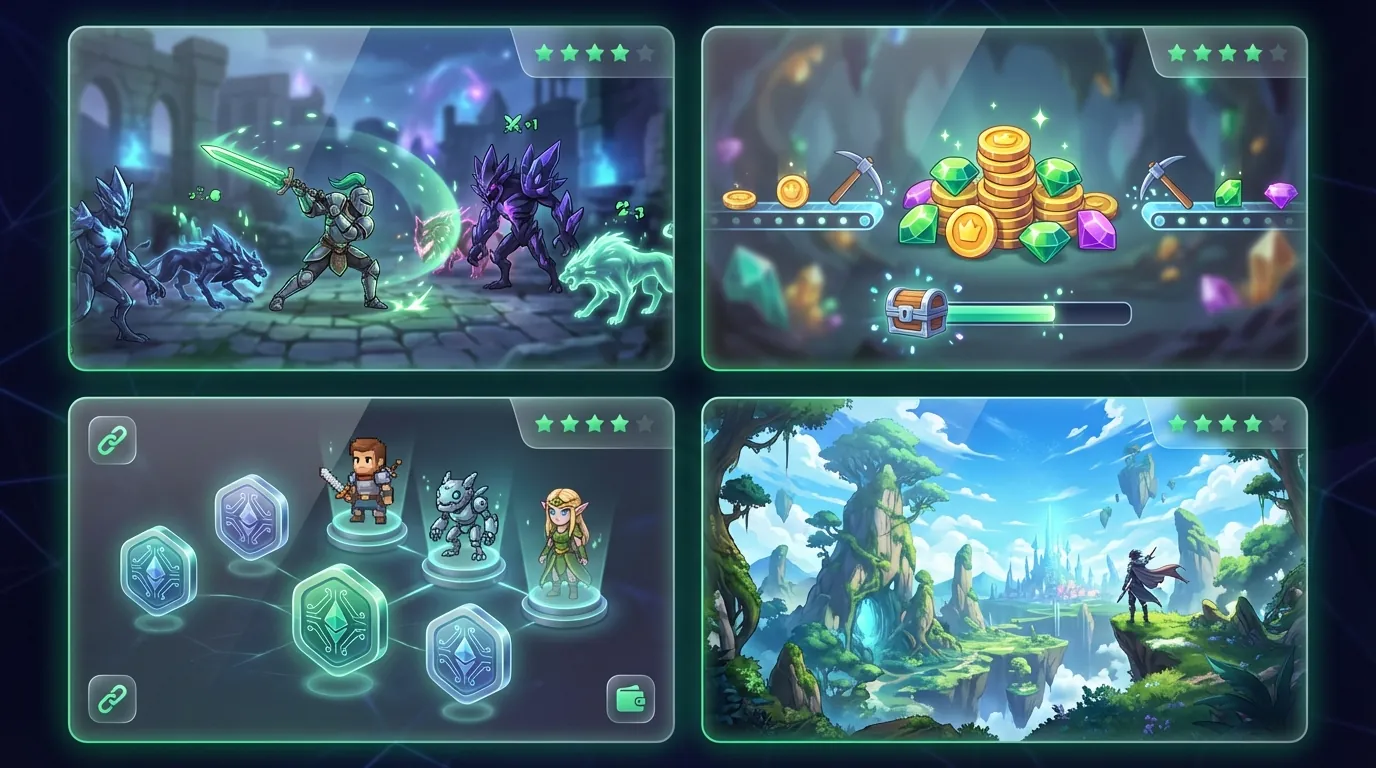
MMORPGs (Massively Multiplayer Online Role-Playing Games) are the most compatible category for Cloud Phone — most feature built-in auto-quest and auto-farm functionality.
Key titles: Ragnarok Origin, MIR4, Night Crows, Black Desert Mobile, and MU Awakening. AFK strategy: enable auto-quest → auto-farm → auto guild war. Recommended configuration: 4–6GB RAM, 8–16GB storage.
Detailed setup guides for AFK-farming Black Desert Mobile 24/7 and global titles like MIR4, Night Crows, and Ragnarok Origin are covered in dedicated articles.
Idle and AFK Games — Passive Farming Without Interaction
Idle games require the lowest configuration — ideal for basic Cloud Phone plans, delivering the highest farming efficiency per dollar spent.
Key titles: AFK Arena, Idle Heroes, Mythic Heroes, and Brawl Stars (box farming). Strategy: launch game → walk away → harvest resources every 12–24 hours. Configuration: 2–4GB RAM, low GPU demand — basic Cloud Phone plan ($5/month) is sufficient.
Play-to-Earn (P2E) and NFT Games — Earning Real Income From Gaming
P2E games transform Cloud Phone into a passive income tool — multi-account farming across multiple cloud phones in parallel to maximize token earnings.
Key titles: Thetan Arena, Gods Unchained, and emerging blockchain-based games. Strategy: run 5–10 accounts simultaneously, each on a separate cloud phone (unique IP, unique fingerprint). ROI depends on token prices, but Cloud Phone costs ($5–15/month) are typically far lower than earnings.
A dedicated deep-dive on optimizing NFT Game and Play-to-Earn profitability with automated cloud phone farms explains the most effective farming strategies.
Graphically Demanding Games — High-Configuration Required
Genshin Impact, Honkai: Star Rail, and Tower of Fantasy run natively on ARM chips — no binary translation needed, achieving stable 60 FPS with GPU Mali-G71 MP20.
AFK strategy: daily commissions → resin/stamina burn → event farming. Configuration: 6GB+ RAM, native GPU rendering, 16GB+ storage — requires gaming-tier Cloud Phone ($10–15/month).
The dedicated guide to optimizing XCloudPhone for graphically demanding games covers graphics settings, resolution, and FPS targets for each specific title.
First-Time Cloud Phone Setup Guide for AFK Gaming
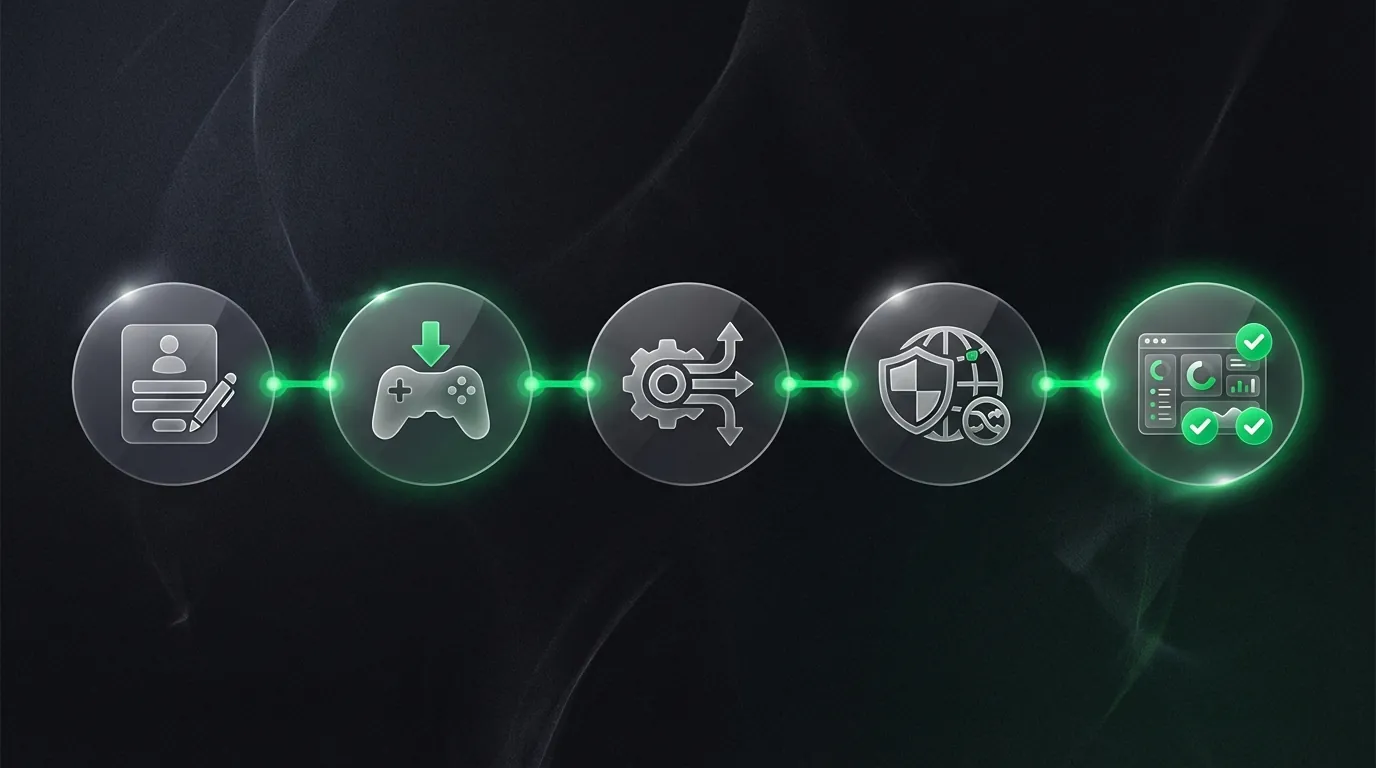
Setting up Cloud Phone for AFK gaming requires just 5 steps and takes 10–15 minutes — no technical knowledge needed.
Step 1 — Sign Up and Choose Your Cloud Phone Plan
Go to app.xcloudphone.com → create an account → select the appropriate plan:
- Basic plan (~$5/month): 4GB RAM, 32GB storage — handles MMORPGs and idle games
- Gaming plan (~$10–15/month): 6GB RAM, 64GB storage — for Genshin Impact and demanding titles
Step 2 — Install Games and Log Into Your Account
Download games from Google Play Store or sideload APKs directly → log into your game account → complete the initial tutorial/setup. Cloud Phone runs a full Android OS — every action is identical to a real phone.
Step 3 — Configure Auto-Play and Anti-AFK Settings
Enable auto-quest, auto-farm, and auto-battle in-game → install the built-in auto-clicker (if the game lacks native auto features) → configure automatic game restart on crash or disconnect. XCloudPhone supports no-code automation — drag and drop to create complex flows without writing scripts.
Step 4 — Set Up Proxy and Anti-Detect (For Multi-Account Only)
Enter residential proxy through the web dashboard → change IMEI/Android ID with 1 click → set timezone and system language to match your game server. This step is only necessary for multi-account farming — single accounts typically don't need proxy.
Step 5 — Monitor and Optimize Connection
Check ping/latency via dashboard → adjust streaming quality (720p for bandwidth savings, 1080p for optimal experience) → enable crash notifications for timely intervention.
Tips for maintaining stable connections while gaming on weak networks or 4G are covered in a dedicated article.
📌 Pro Tip: Run your game for the first 2–3 hours to confirm stability before walking away. Check back after 12–24 hours to verify auto-play is still functioning correctly.
Multi-Instance Strategy — Running 10+ Games Simultaneously Without Lag
Multi-instance (running multiple cloud phone sessions in parallel) enables scaling your gaming farm from 1 to 10, 50, or even 100+ devices — each operating as an independent device with a unique fingerprint.
Smart Resource Allocation
Distribute Cloud Phone tiers based on game requirements to optimize costs without sacrificing performance:
- Lightweight games (idle, casual): Basic 4GB RAM plan — $5/device/month
- Mid-range games (MMORPG): Standard 4–6GB RAM plan — $10/device/month
- Demanding games (Genshin, Honkai): Premium 6GB+ RAM plan — $15/device/month
Example optimized 20-device farm: 10 basic instances (idle games) × $5 + 8 standard instances (MMORPG) × $10 + 2 premium instances (Genshin) × $15 = $160/month — cheaper than buying 20 used phones.
Centralized Management — One Dashboard, Many Devices
The web management interface enables batch operations across all devices simultaneously: install apps, restart, change proxies, monitor in real-time, and receive crash notifications. 1 person manages 100 devices — instead of 2–3 people managing 20 PCs running emulators.
A dedicated article on running multiple Roblox accounts via multi-instance without lag explains resource allocation optimization for specific game titles.
Cloud Phone AFK Gaming FAQ
Can Cloud Phone Run Genshin Impact at Maximum Settings?
Yes — Cloud Phone uses real ARM chips (Exynos 8895, GPU Mali-G71 MP20) for native graphics processing, achieving stable 60 FPS at medium-high settings. Genshin Impact on Cloud Phone performs comparably to Samsung Galaxy S8/Note 9 — smoother than x86 emulators due to zero binary translation overhead.
Does 24/7 Cloud Phone Gaming Drain My Personal Phone?
No — your personal device only serves as a display and controller, and can be powered off at any time. Games continue running 24/7 on the ARM motherboard in the data center. You can check your game from a phone, laptop, or iPad — powering off your device has zero impact on the running game.
Does Cloud Phone Support Games on Foreign Servers (Global Games)?
Yes — Cloud Phone includes integrated residential proxy for selecting IPs from specific countries: South Korea, Japan, US, or SEA. Change timezone and system language to match game servers — play global games without external VPN.
Can You Livestream Games From Cloud Phone to TikTok/YouTube?
Yes — Cloud Phone supports installing streaming apps (OBS, Streamlabs) running alongside your game. A detailed guide on livestreaming games directly from Cloud Phone to TikTok and YouTube covers the complete setup process.
How Does Cloud Phone Differ From Android VPS?
Cloud Phone runs on real ARM hardware (phone motherboards), while Android VPS runs on x86 virtual machines (KVM/QEMU). Android VPS is easily detected by anti-cheat because hardware attestation fails — similar to emulators. Cloud Phone passes all hardware checks because it is a real device.
If I Lose Internet, Does My Game Stop?
No — games run on servers in the data center. Losing internet only disconnects your control session. When internet recovers, you reconnect and the game is still running at the exact same point. This is the fundamental difference from emulators — shutting down the PC stops the emulator entirely.
Can I Root Cloud Phone to Install Game Mods?
Yes — XCloudPhone supports root access for installing mods, Xposed framework, and system customization tools. Rooting does not affect other cloud phones in your fleet — each device operates independently.
What Internet Speed Do I Need to Control Cloud Phone Smoothly?
Minimum 5 Mbps for 720p streaming, recommended 15+ Mbps for 60 FPS at 1080p. 4G/LTE connections are stable enough for most operations — broadband WiFi provides the optimal experience.
Does Cloud Phone Support Game Controllers?
Yes — Cloud Phone supports Bluetooth pairing and USB controller mapping on your control device. Connect Xbox, PlayStation, or generic gamepad controllers and map buttons through the key mapping application.
Which Cloud Phone Plan Should New Gamers Start With?
The basic plan (4GB RAM, 32GB storage, ~$5/month) handles most MMORPGs and idle games. Upgrade to the gaming tier (6GB RAM) only when you play graphically demanding titles like Genshin Impact or need to run multiple apps simultaneously.
Cloud Phone for Gaming — Not Just AFK Farming, But a Profitable Investment
Android Cloud Phone for gaming transforms AFK farming from "hardware destruction" into "profitable investment" — no more battery swelling, no overheating, no lost accounts, and lower TCO than buying used phones.
From the Cloud Phone gaming definition at the beginning — real Android devices running in data centers — you can see why this is the only solution that simultaneously delivers 3 requirements: continuous 24/7 operation, minimal ban risk, and long-term cost savings. x86 emulators get flagged by anti-cheat, used phones die within 6–12 months — real ARM Cloud Phone avoids both problems.
The upgrade path from individual gamer to business operation: AFK-farm 1 game → scale to a 10–50 device fleet → build a phone farm business for P2E gaming, social media account farming, or professional boosting services. The top 10 Play-to-Earn mobile games and newest NFT games for 2026 are analyzed in a dedicated listicle.
Start AFK gaming 24/7 without destroying your phone — from $5/month.
Sources:
- Play Integrity API — Android Developer Documentation
- Cloud Mobile Gaming Market Forecast — Allied Market Research ($3.3 billion, CAGR 28.9%)
- Apple Battery Health — Apple Support (500 charge cycles = 80% capacity)
- Qualcomm SoC Thermal Specifications — Qualcomm Developer (113°F / 45°C max recommended)
- WebRTC Standards — W3C / IETF RFC 8825
- ARM Architecture — ARM Holdings Developer Documentation
- US EIA Electricity Pricing — US Energy Information Administration ($0.16/kWh avg residential)
- XCloudPhone — Product Documentation